Here is an explanation of some updates in JNews version 12.0.7.
Add an option to change the Unlock Quota consumption for specific posts
By default, when a user unlocks a post, their Unlock Quota will decrease by one. This means each premium post is valued at 1 unlock quota.
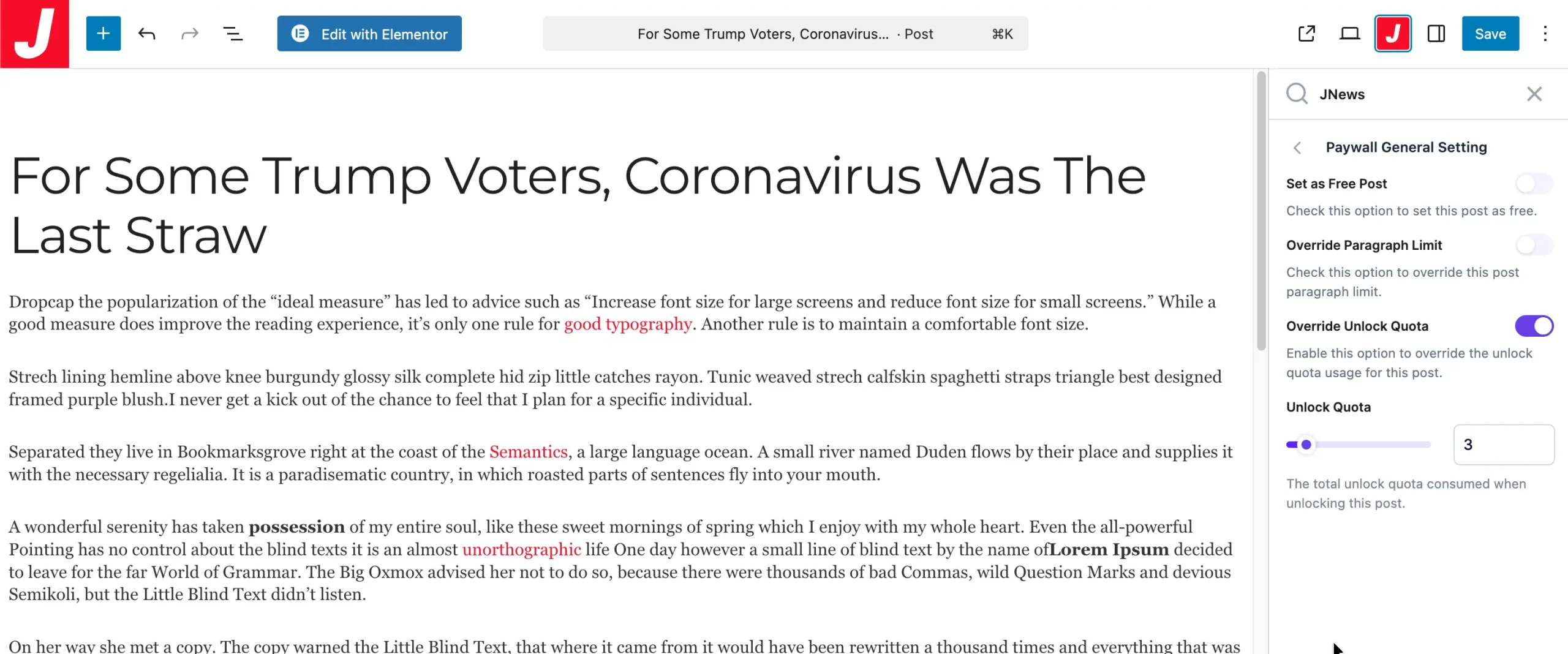
In this update, we have added an option to assign different unlock quota values for each post. By default, all premium posts still use 1 quota. To customize the unlock quota for specific posts, make sure you have updated the JNews – Paywall plugin to the latest version.
You can edit the Unlock Quota by editing your premium post, then navigating to JNews Metabox → Paywall Single Post → Paywall General Setting, enabling the Override Unlock Quota option, and setting your desired value in the Unlock Quota field.
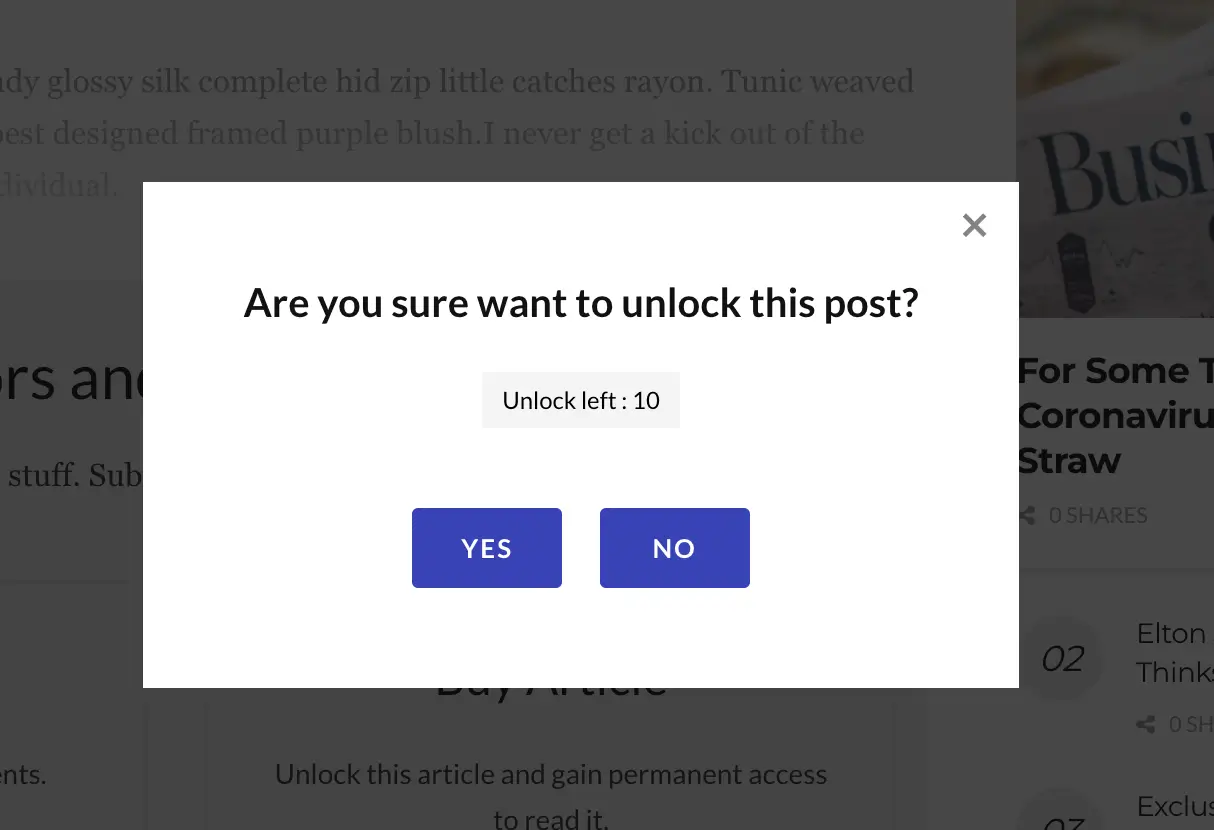
When you assign a custom quota to a premium post, users will see information about how much of the quota will be consumed before unlocking the post.

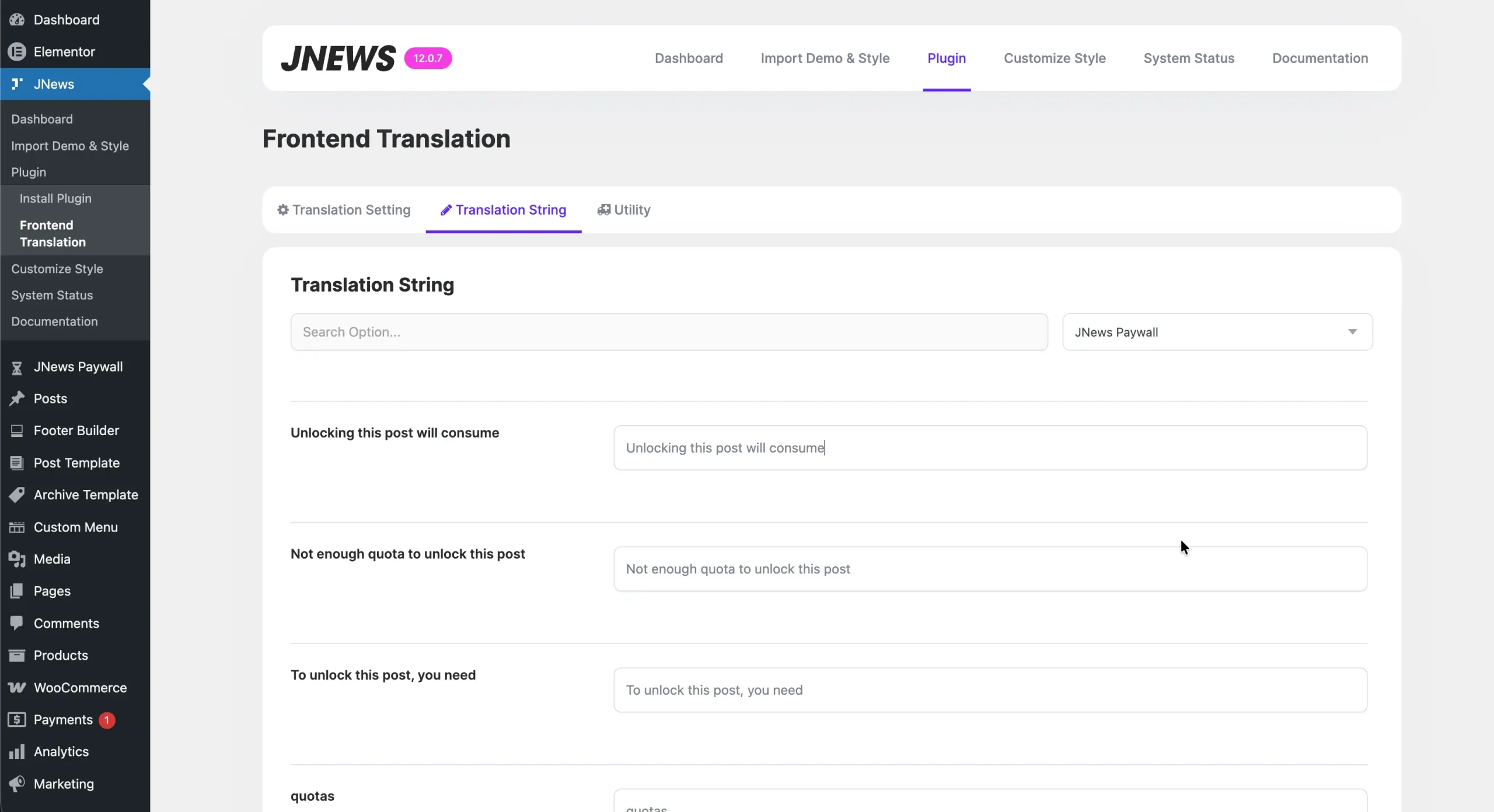
We have also added additional strings for this unlock quota information in the JNews – Frontend Translation plugin, allowing you to customize the text displayed in the pop-up according to your site’s language.
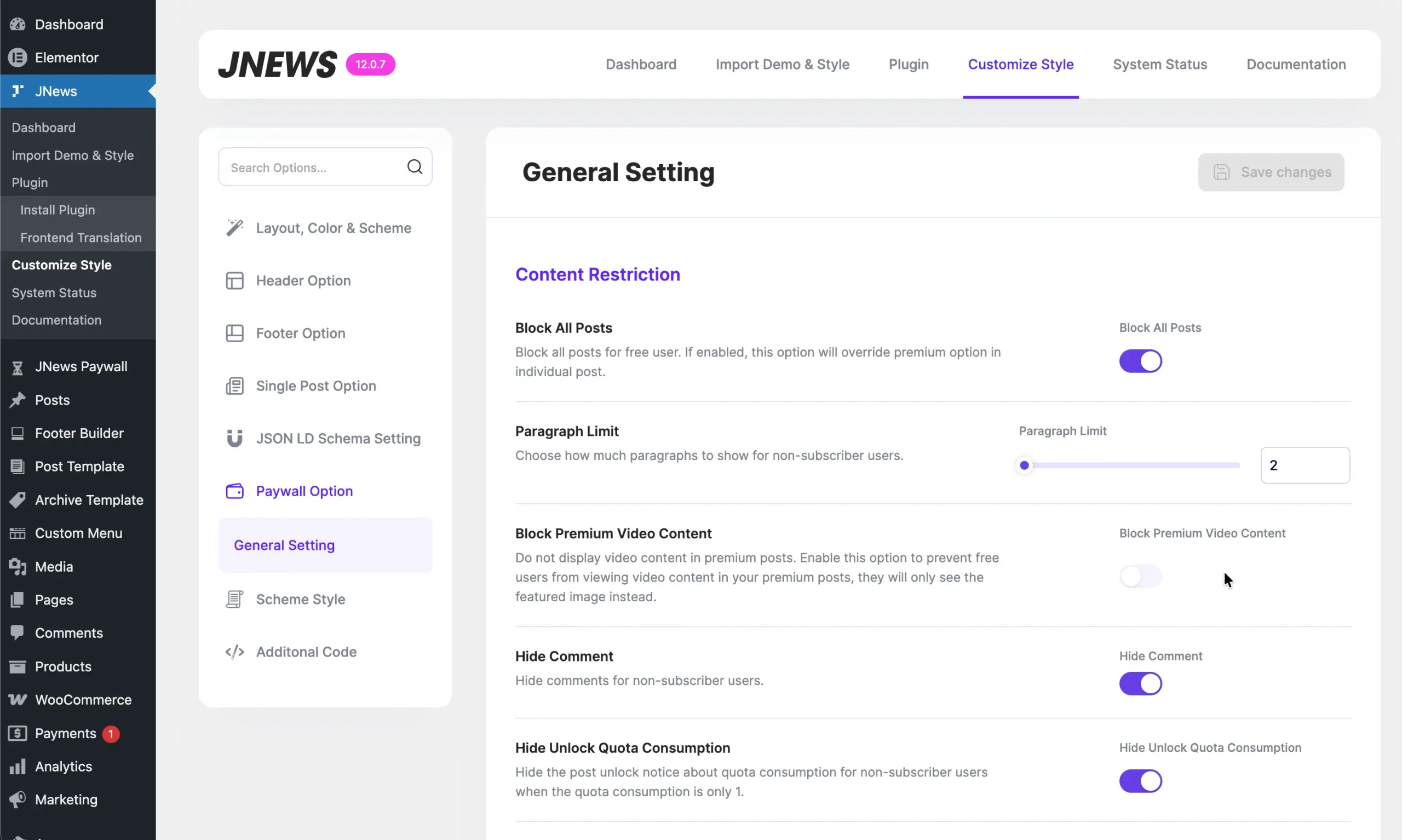
Additionally, we add a Hide Unlock Quota Consumption option under JNews → Customize Style → Paywall Option → General Setting to hide the quota consumption information if the post only requires 1 unlock quota. This option is enabled by default.
Add an option to remove the Category and Tag labels in the archive page breadcrumb
By default, the breadcrumbs displayed on Category/Tag pages will show the Category/Tag label after the Home navigation as an indicator that you are currently on a Category/Tag page.

In some cases, you may prefer a cleaner breadcrumb appearance and want to remove this label. In the latest update, we have added an option to hide it. To use this option, make sure you have updated the JNews – Breadcrumb plugin to the latest version.
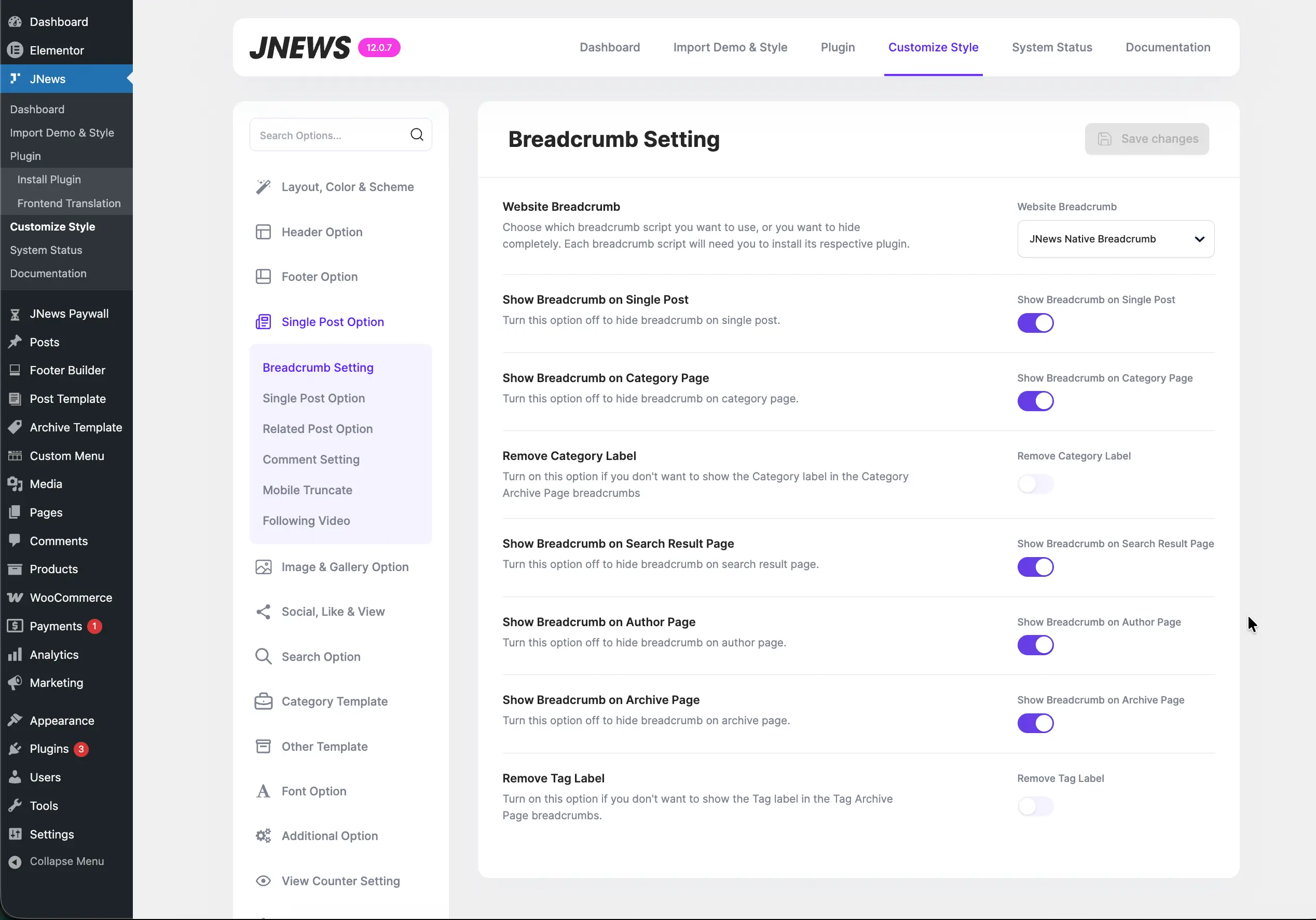
If you are using the default Category/Tag template from the JNews theme, you can remove this label by enabling the Remove Category Label and Remove Tag Label options in Appearance → Customize Style → Single Post Option → Breadcrumb Setting.
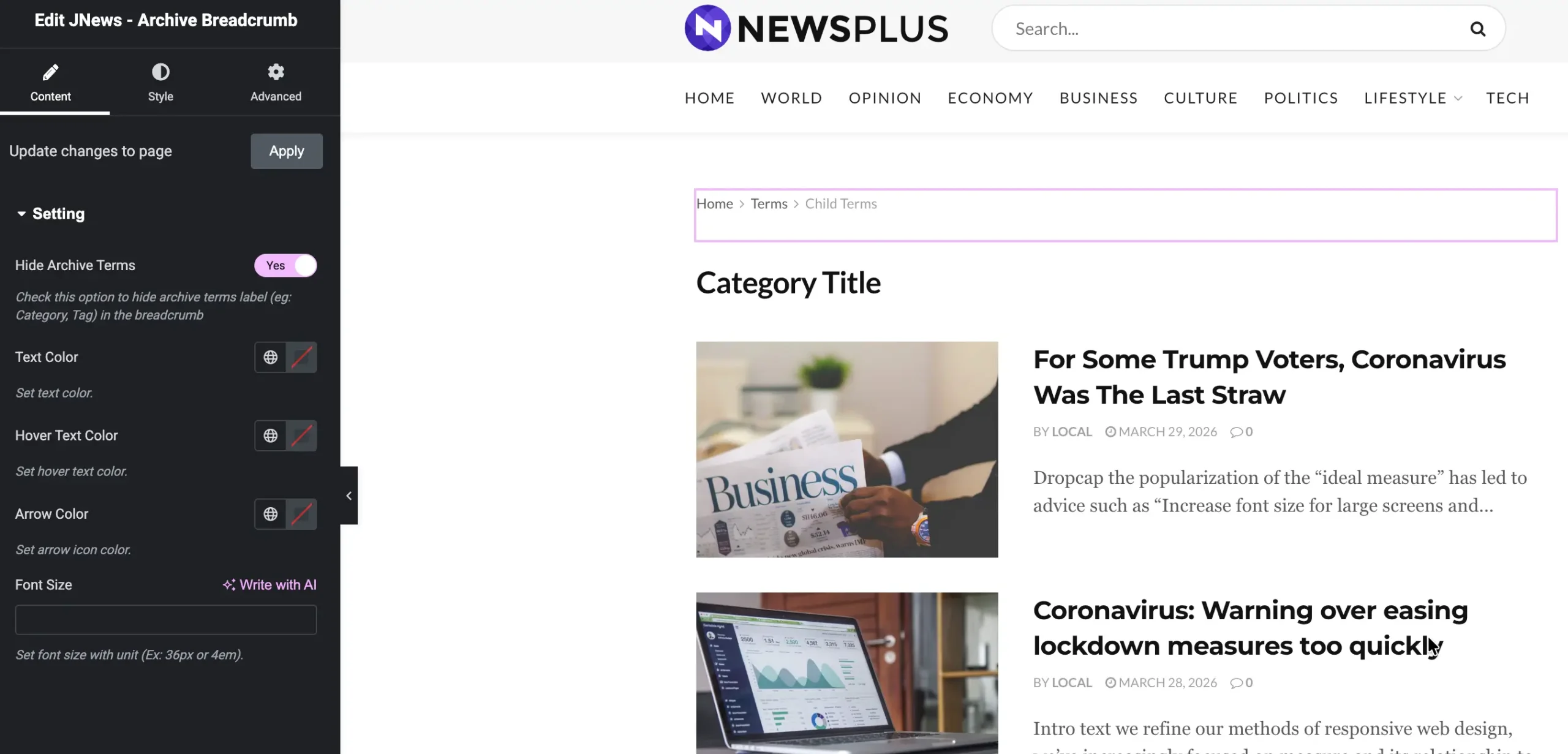
If you are using a Custom Archive Template for your Category/Tag pages, you can edit that template and, within the Archive Breadcrumbs element, enable the Hide Archive Terms option.