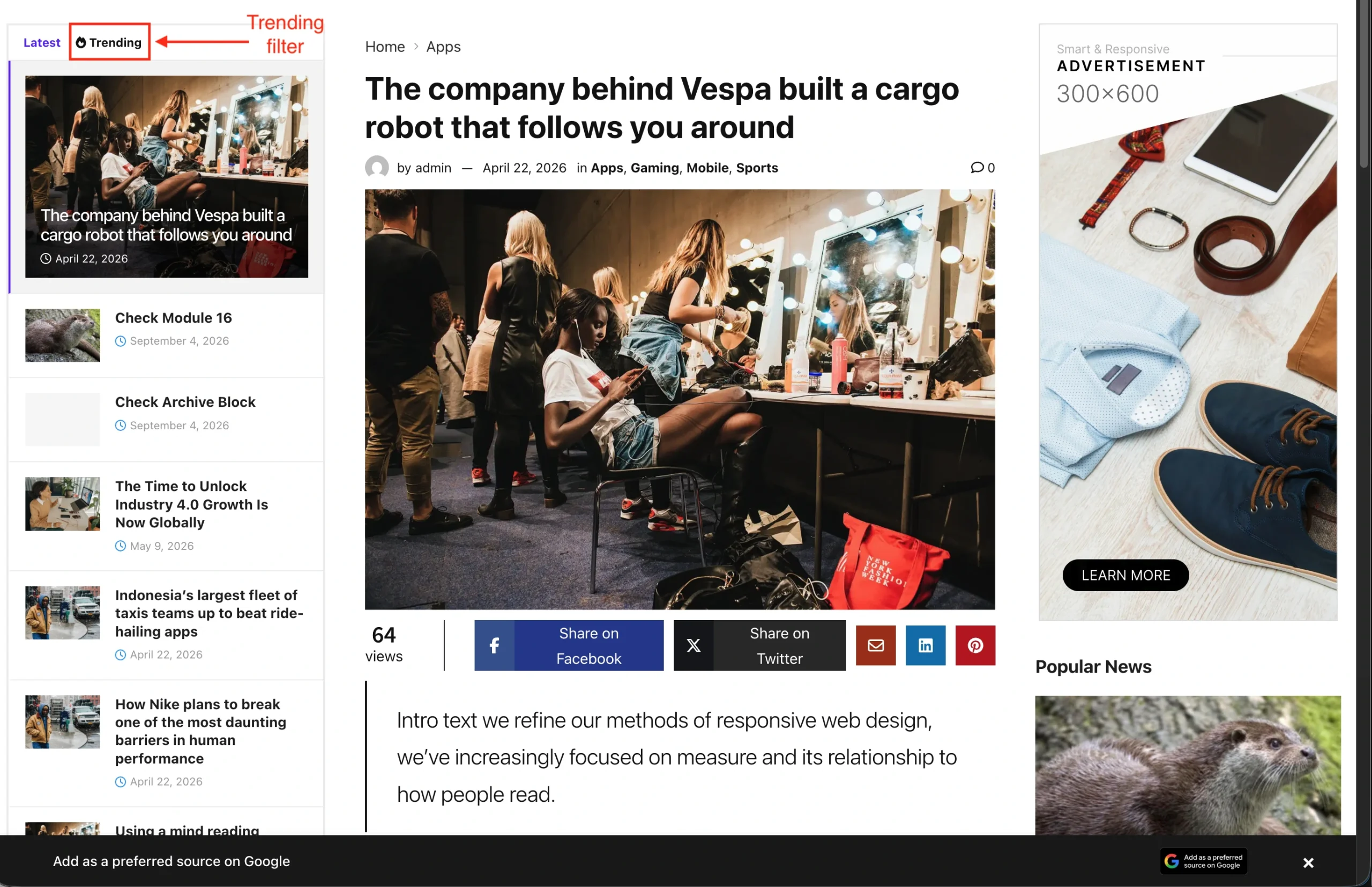
The Side Feed block displays an article feed beside the post readers are viewing. Readers can browse the latest or trending articles, filter them by category, and select another article to read directly from the feed.
There’re a few things that we’ll explain to you on this section :
1. Installation & Requirements
To use Side Feed, you need to have a JNews Blocks Pro license. After that, you need to activate the following plugins:
After activating the JNews Blocks Pro plugin, you will have access to the Side Feed block. You can add this block to the Single Post Template. You can also combine the Side Feed with the Post Template Wrapper. If you use both blocks, make sure that the Side Feed is placed outside the Post Template Wrapper.

You can also add the Side Feed block to other templates. However, the Side Feed block is optimized specifically for the Single Post Template and Post Template Wrapper.
2. Load Post via AJAX
By default, each article in the Side Feed is rendered as a clickable anchor link that opens the corresponding post. You can change this behavior to load posts via AJAX, allowing the content to be loaded without requiring the browser to reload the page. To use this setup, you need to enable the Enable AJAX option and add the Post Template Wrapper block to your template.

When a user clicks on one of the posts, a custom event is triggered and handled by the Post Template Wrapper. The event sends an AJAX request to load the selected post. This will also reset the Auto Load state if you are using Auto Load with the Post Template Wrapper.
3. Sticky Feed
Keeps the feed visible beside the main post as readers scroll down the page. When the feed reaches its sticky position, it stays in view while the article continues scrolling, keeping the list of articles within easy reach. To create a sticky feed, you can enable the Sticky Side Feed option.

You can also wrap the Side Feed block in a Gutenverse Container and enable the Sticky option for that container to create sticky effect. Both methods work effectively. However, this method requires the Gutenverse Pro plugin.

The Sticky feature in Gutenverse Pro provides a more advanced setup, allowing you to configure the position, pinned background color, sticky-on-scroll behavior, and other options that you may need. However, if you do not require an advanced setup, the Sticky Side Feed option is more than sufficient to create a sticky effect.
4. Trending Filter
You can add a Trending filter to your feed by enabling the Enable Trending option in the Content panel. To use this feature, you need to enable the View Counter feature in JNews Blocks Pro.