
The JNews Blocks Migration plugin is a plugin for migrating from the JNews theme to JNews Blocks. This plugin will duplicate and modify the data from JNews theme features on your website into data that has been adjusted to match the features available in JNews Blocks.
There’re a few things that we’ll explain to you on this section :
1. Installation & Requirements
To use the JNews Blocks Migration plugin, you need to activate the following plugins:
- Gutenverse
- JNews Blocks
- Gutenverse Pro
- JNews Blocks Pro
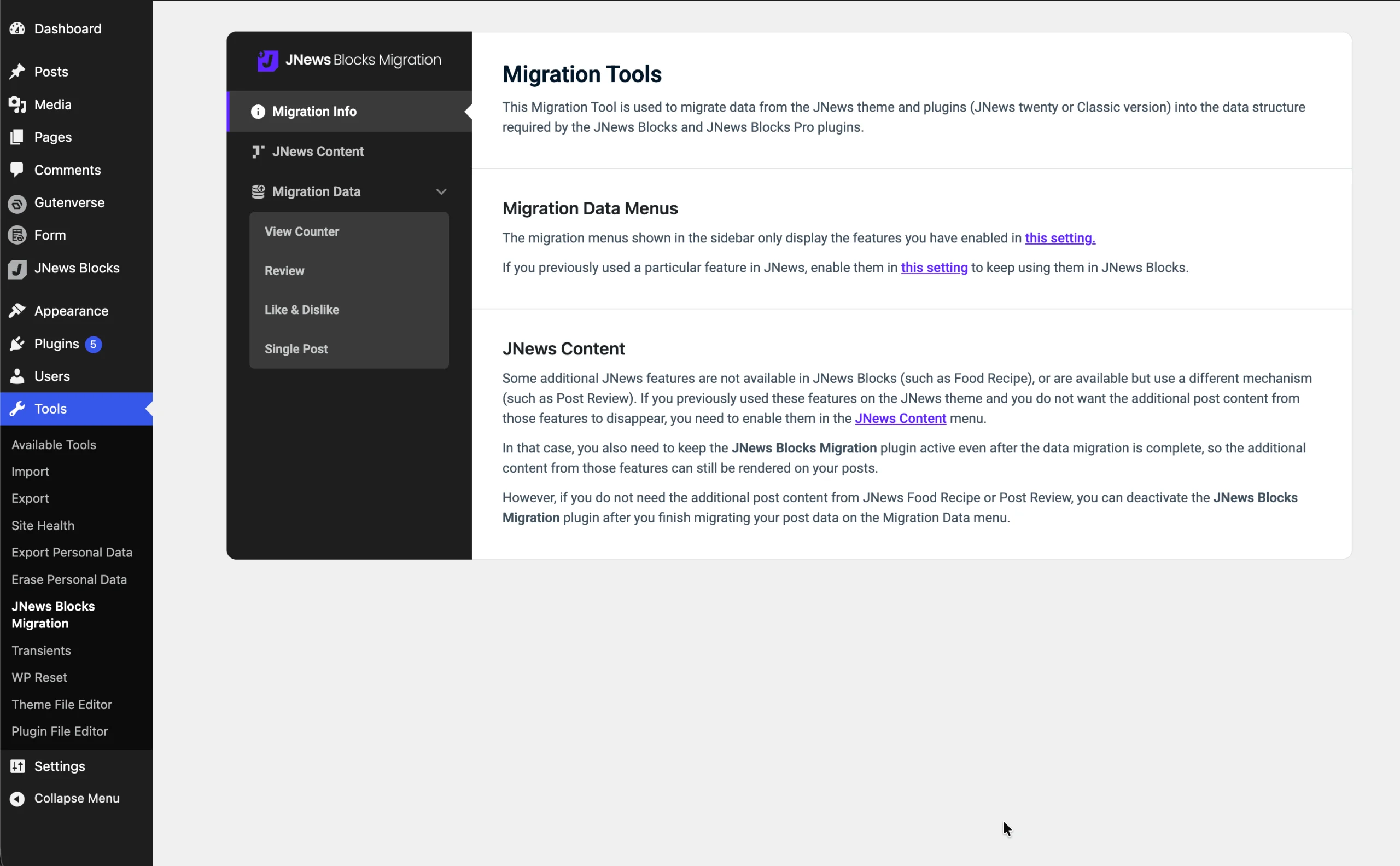
After activating the JNews Blocks Migration plugin, a JNews Blocks Migration submenu will appear under the Tools menu to access the migration feature. On the JNews Blocks Migration page, there are 3 menus: Info, JNews Content, and Migration Data.
2. Setup Additional Features
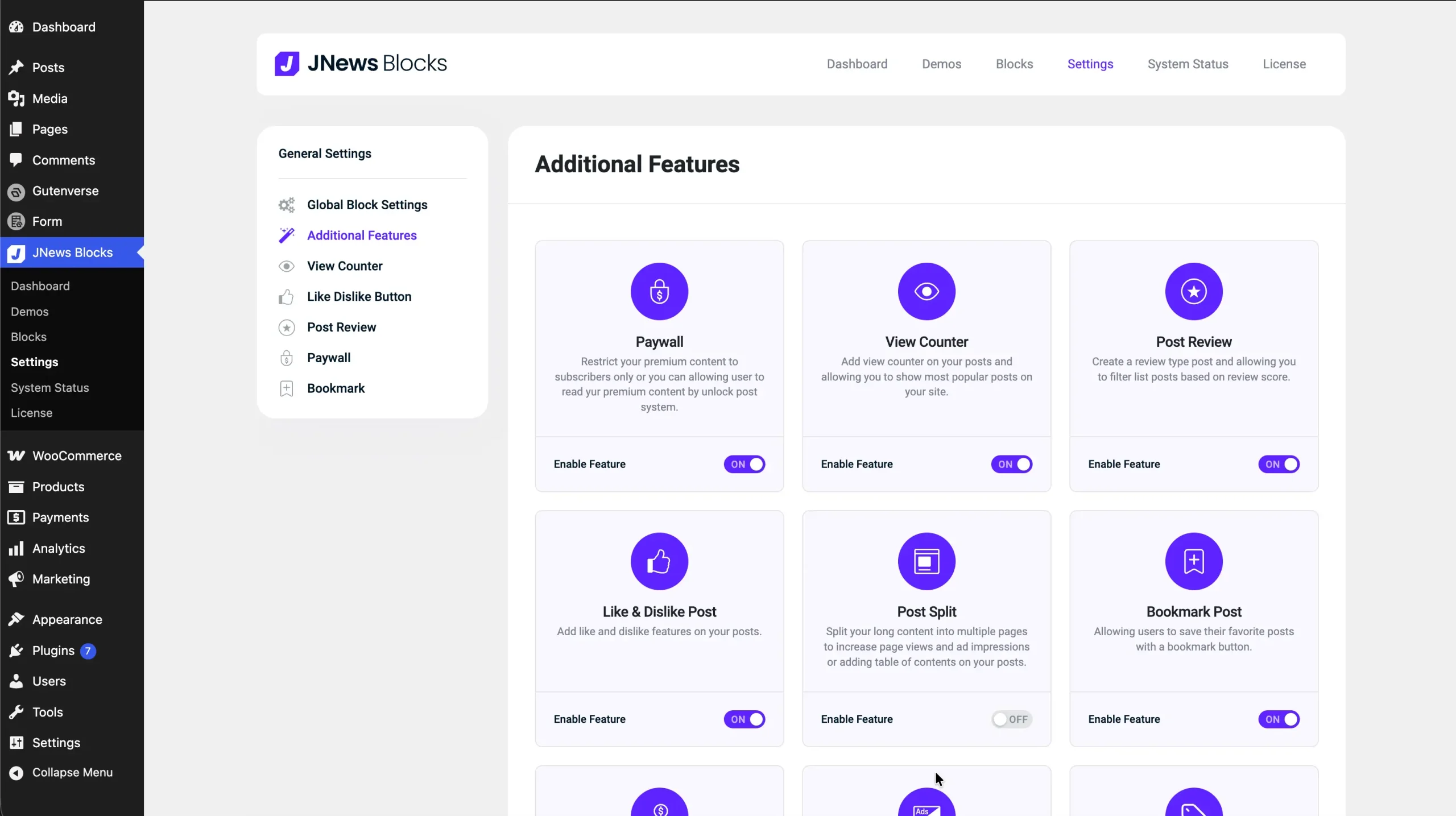
The list of options displayed in the JNews Content and Migration Data menus depends on the features you have enabled in JNews Blocks → Settings → Additional Features. So, before migrating your data, make sure you have enabled all the features you previously used in the JNews Theme from that menu. For example, if you previously used the JNews – View Counter, JNews – Bookmark, JNews – Review and JNews – Paywall plugins, you can enable the View Counter, Bookmark, Review and Paywall features.
3. Migration Data
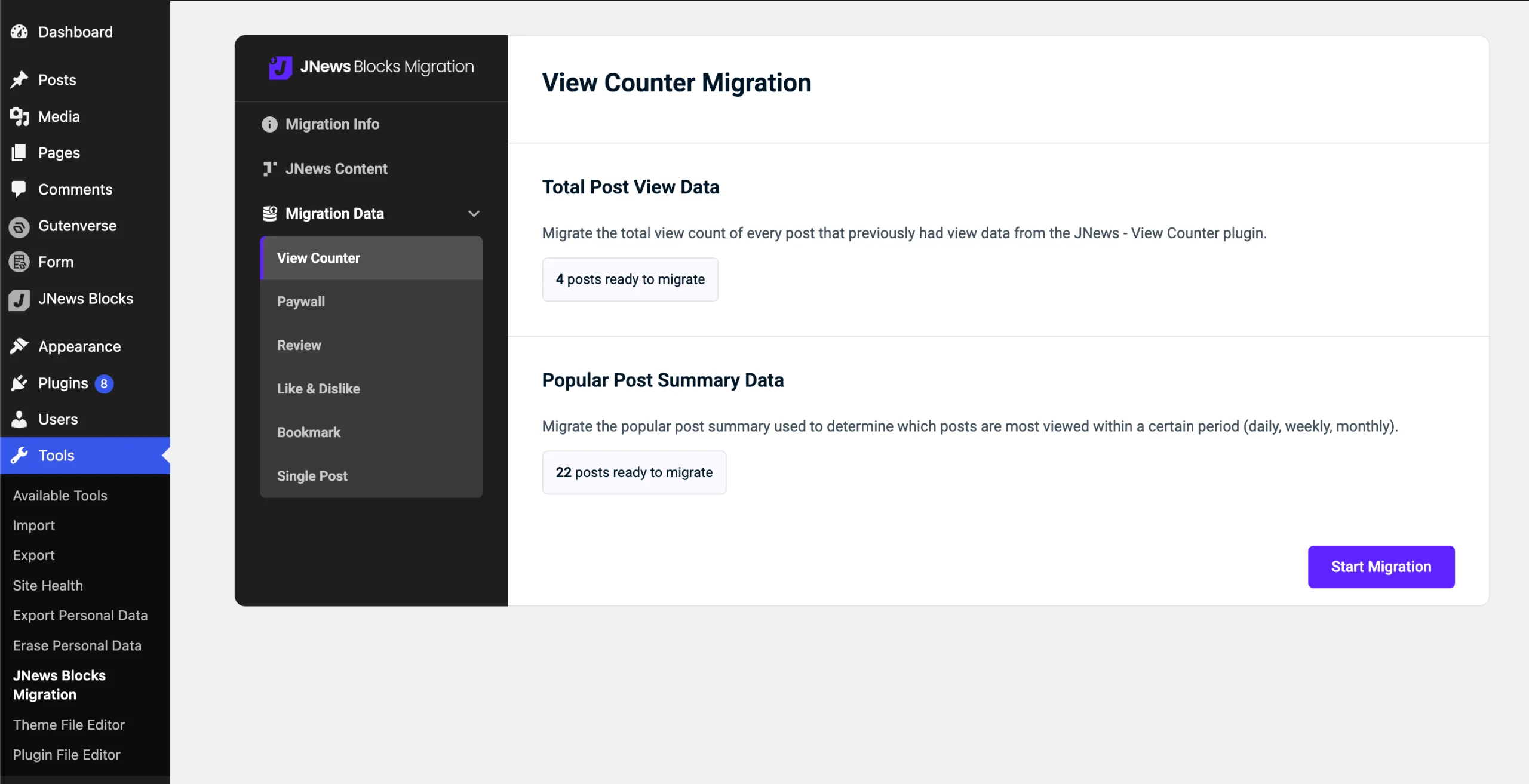
This menu is used to migrate all the required data for the features you have enabled previously.
You can open each submenu under the Migration Data menu, then click the Start Migration button to start the migration process. Make sure to wait until the migration process is complete.
4. Enable JNews Content
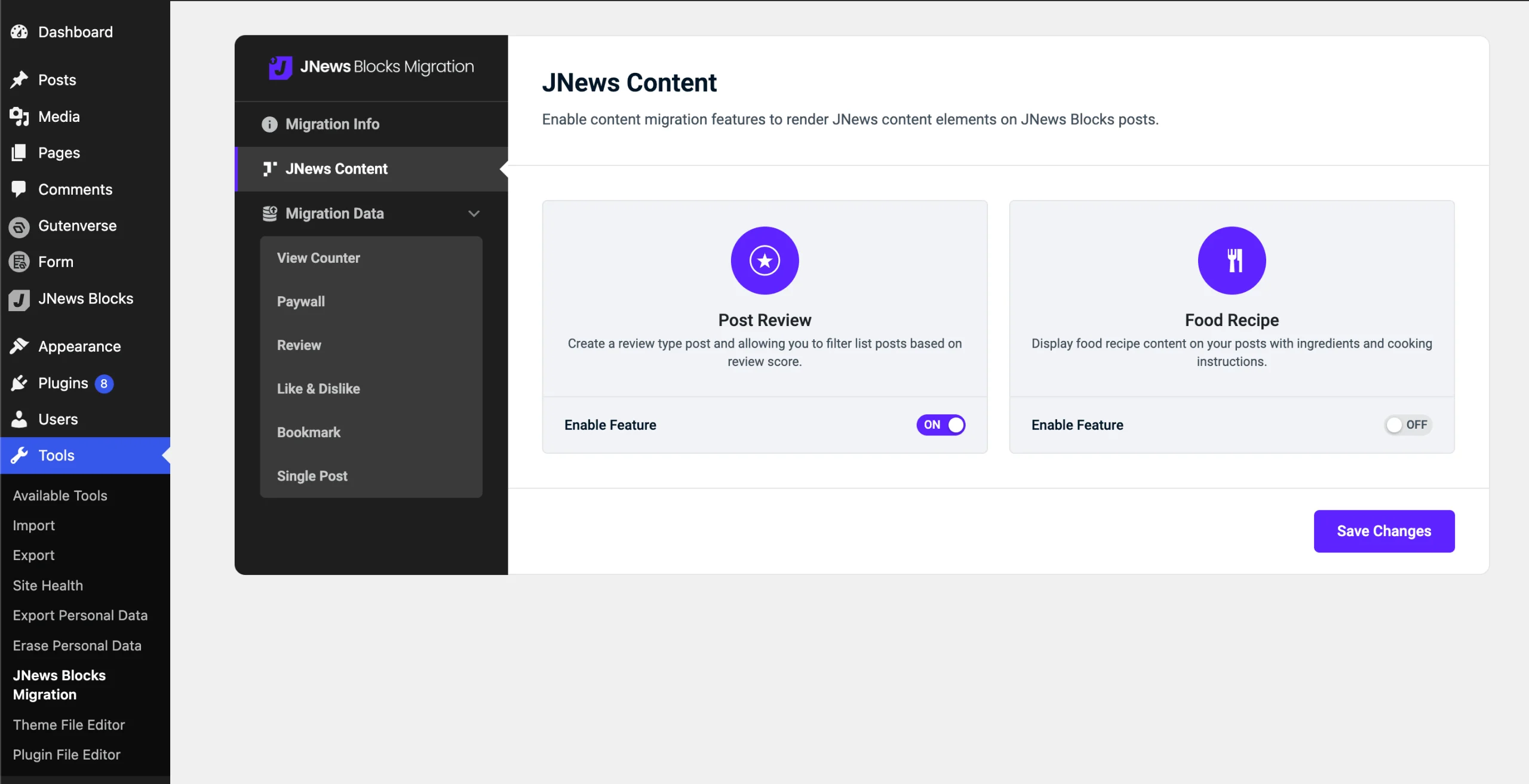
Since the Food Recipe feature is not implemented in JNews Blocks, and the Review feature works differently in JNews Blocks, you need to enable the related options in this menu if you are using the JNews – Review and JNews – Food Recipe plugins. This allows the additional content from those features to appear properly on your post pages.
If you have never used the JNews – Review or JNews – Food Recipe plugins before, you can ignore these options.
5. Finish
If you previously used the JNews – Review or JNews – Food Recipe plugins on JNews Classic or JNews Twenty, you can disable the JNews Blocks Migration plugin after the data migration process is complete. However, if you previously used those plugins and enabled the related features under the JNews Content menu, you need to keep the JNews Blocks Migration plugin activated even after the data migration process is complete.