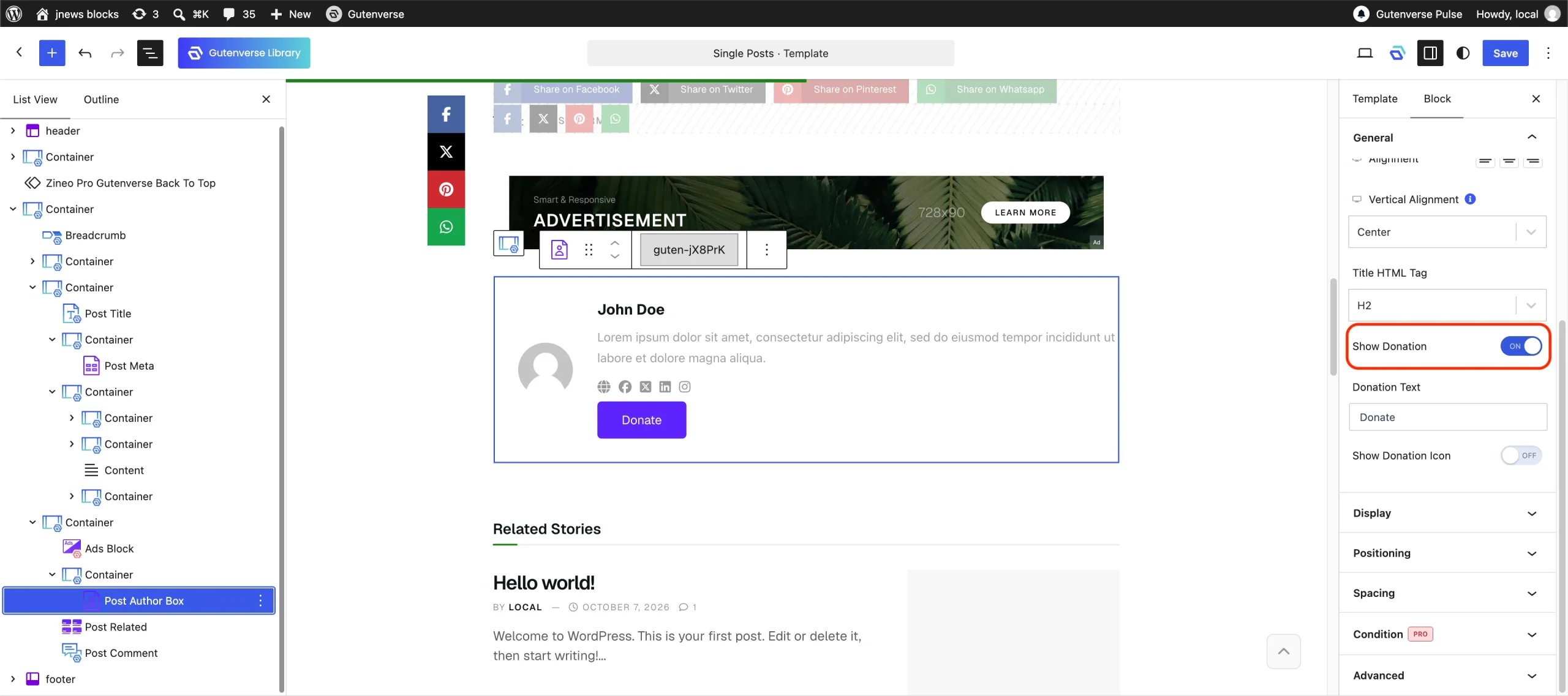
The Author Donation feature allows authors to receive support directly from their readers by displaying a donation link on their posts. By enabling this feature, you can also add author donation button into the Post Meta and Post Author blocks.
There’re a few things that we’ll explain to you on this section :
1. Installation & Requirements
To enable and use the Author Donation feature, you need to have a JNews Blocks Pro license. After that, you need to activate the following plugins:
- Gutenverse
- Gutenverse Pro
- JNews Blocks
- JNews Blocks Pro
Once all of these plugins are activated, make sure you have activated your JNews Blocks Pro license.
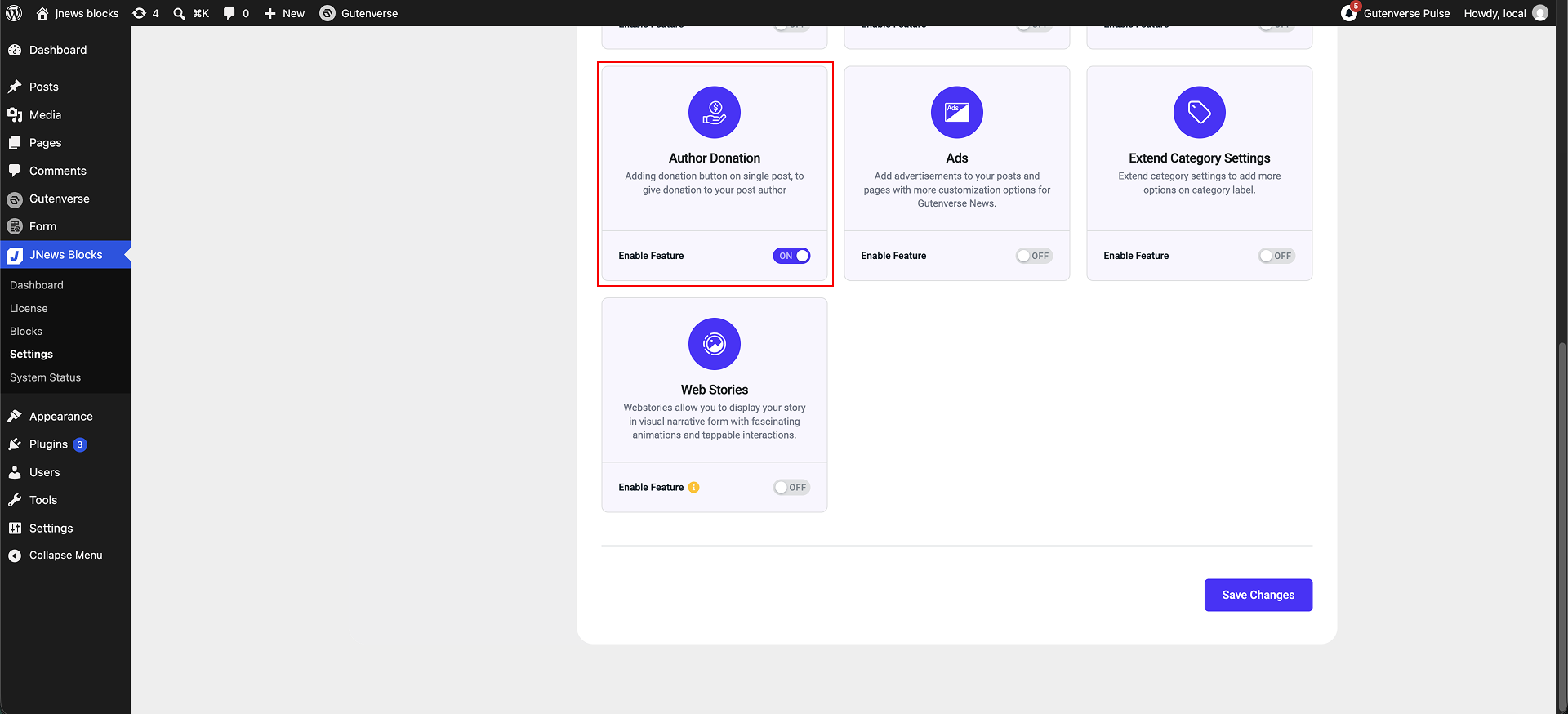
After that, you can go to the JNews Blocks -> Settings -> Additional Features menu and enable the Author Donation feature.
2. Donation Link Settings
To start using this feature, the author needs to add their donation link by navigating to Users -> Profile and fill form donation link.
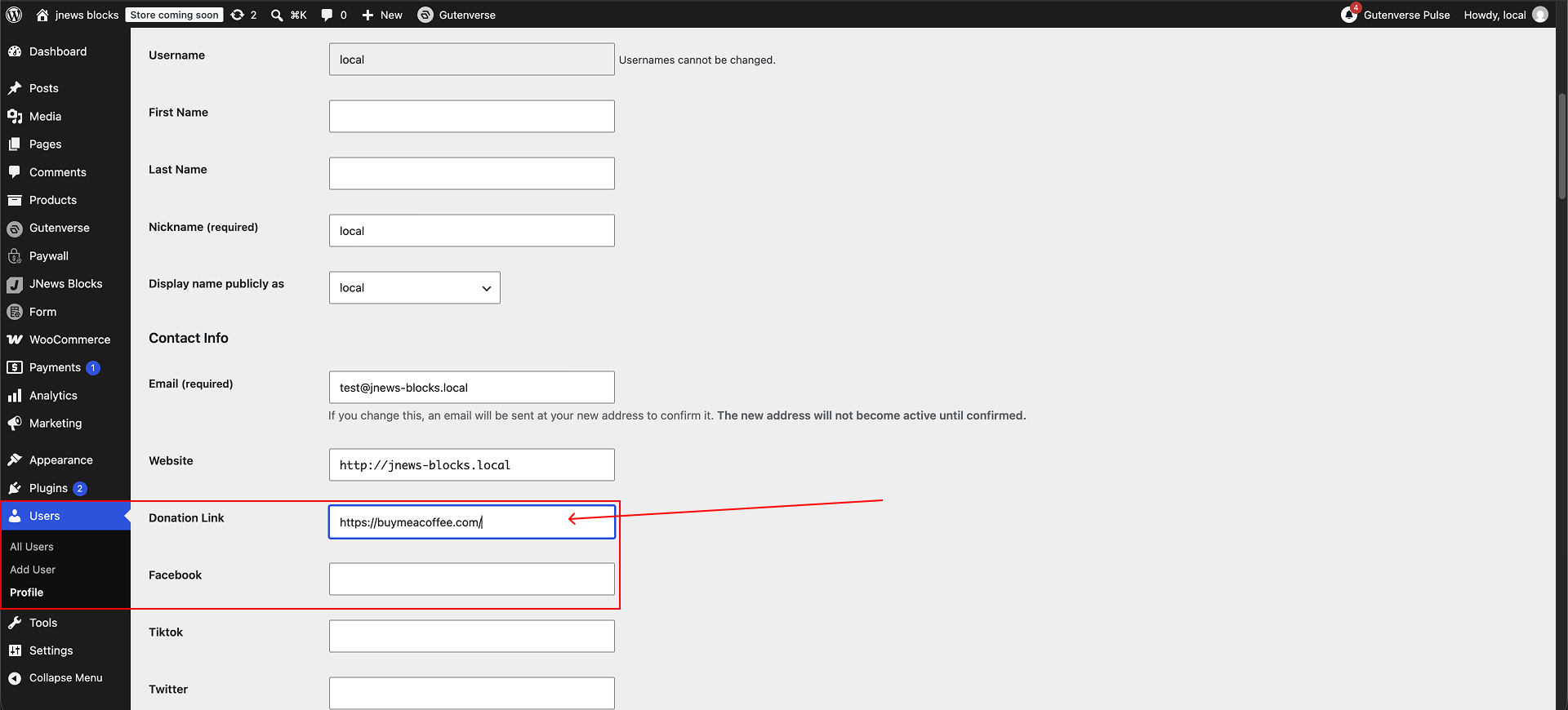
Please note, if you do not fill form donation link the author donation blocks will not be appear in the frontend.
3. Add Donation Button
After activating the Author Donation feature and setting up the donation link, you can display the donation button in three different areas.
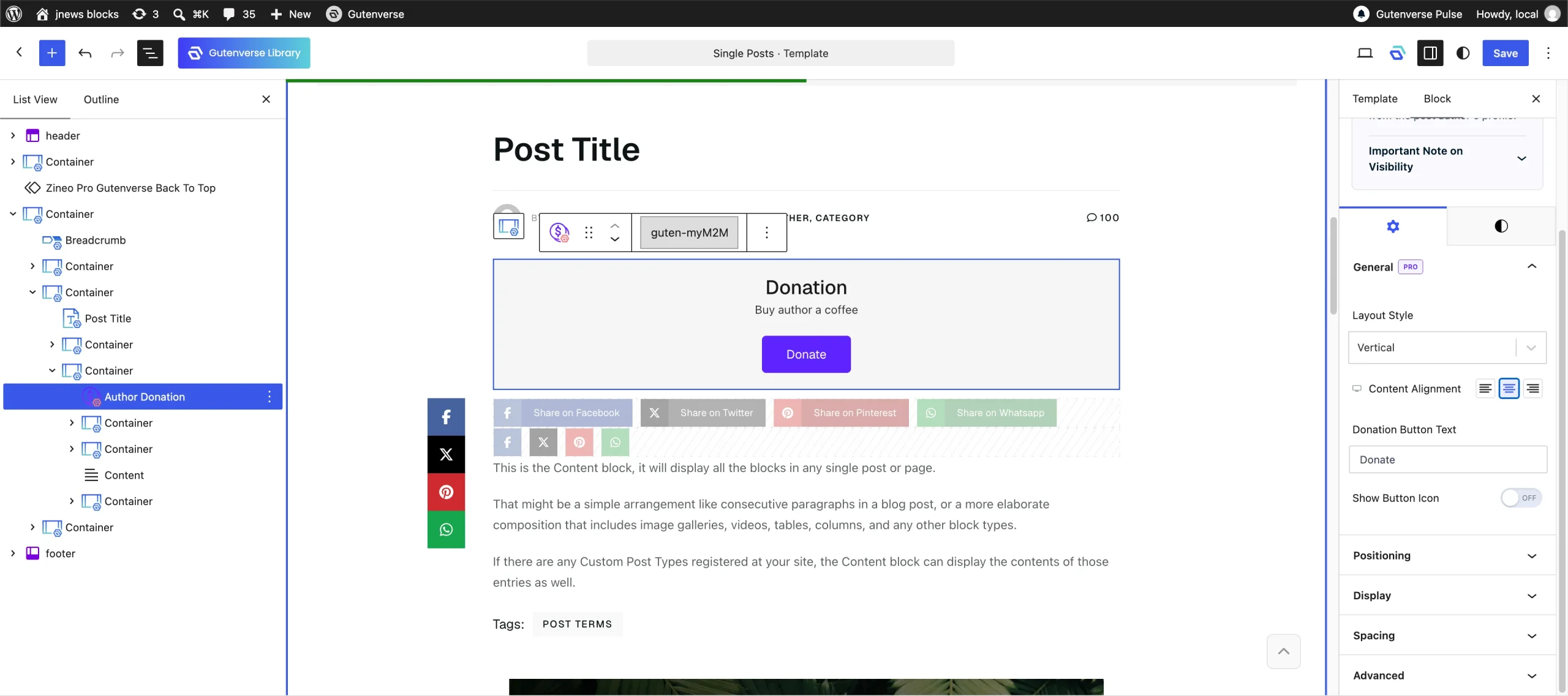
1. Author Donation Block
You can add the Author Donation Block to your Single Post template based on your layout needs.
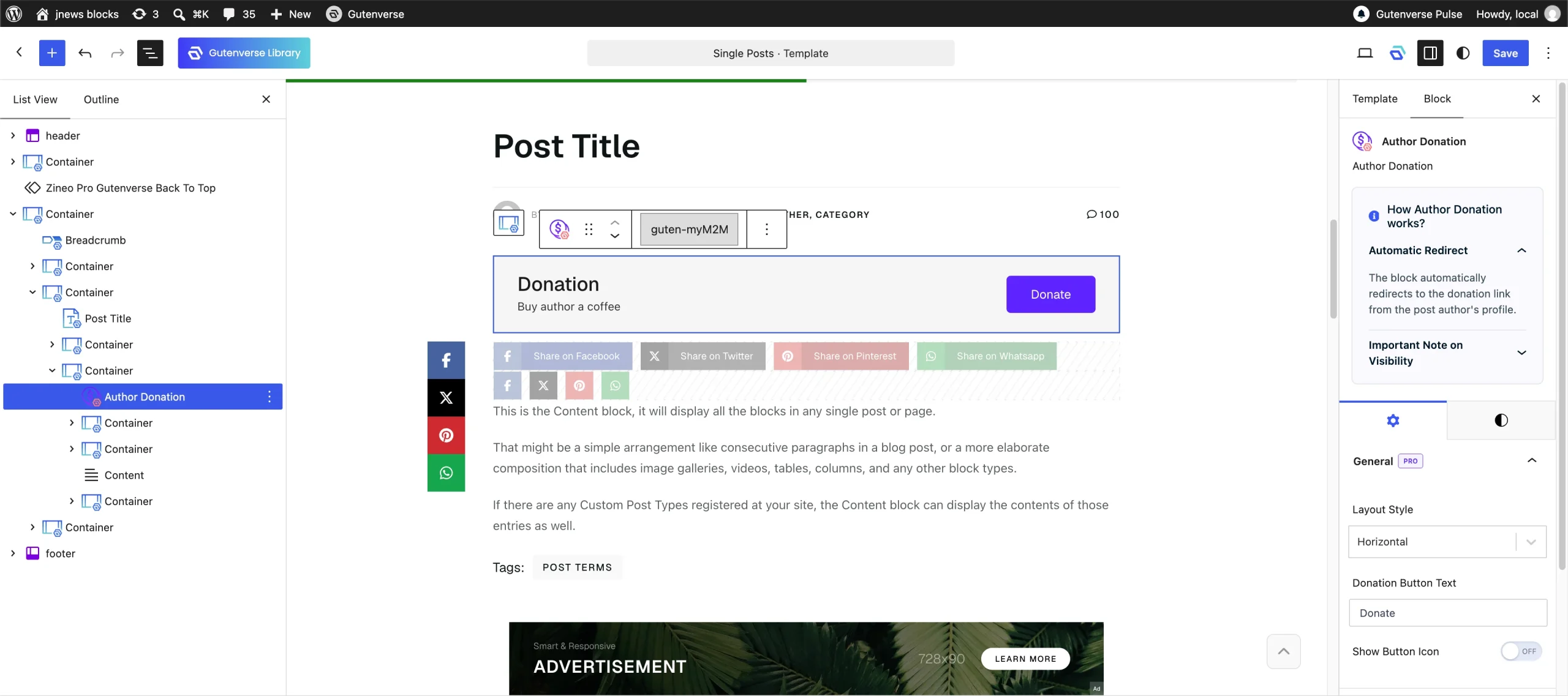
You can also customize the donation layout, button text, and description from the block settings.
2. Post Meta Block
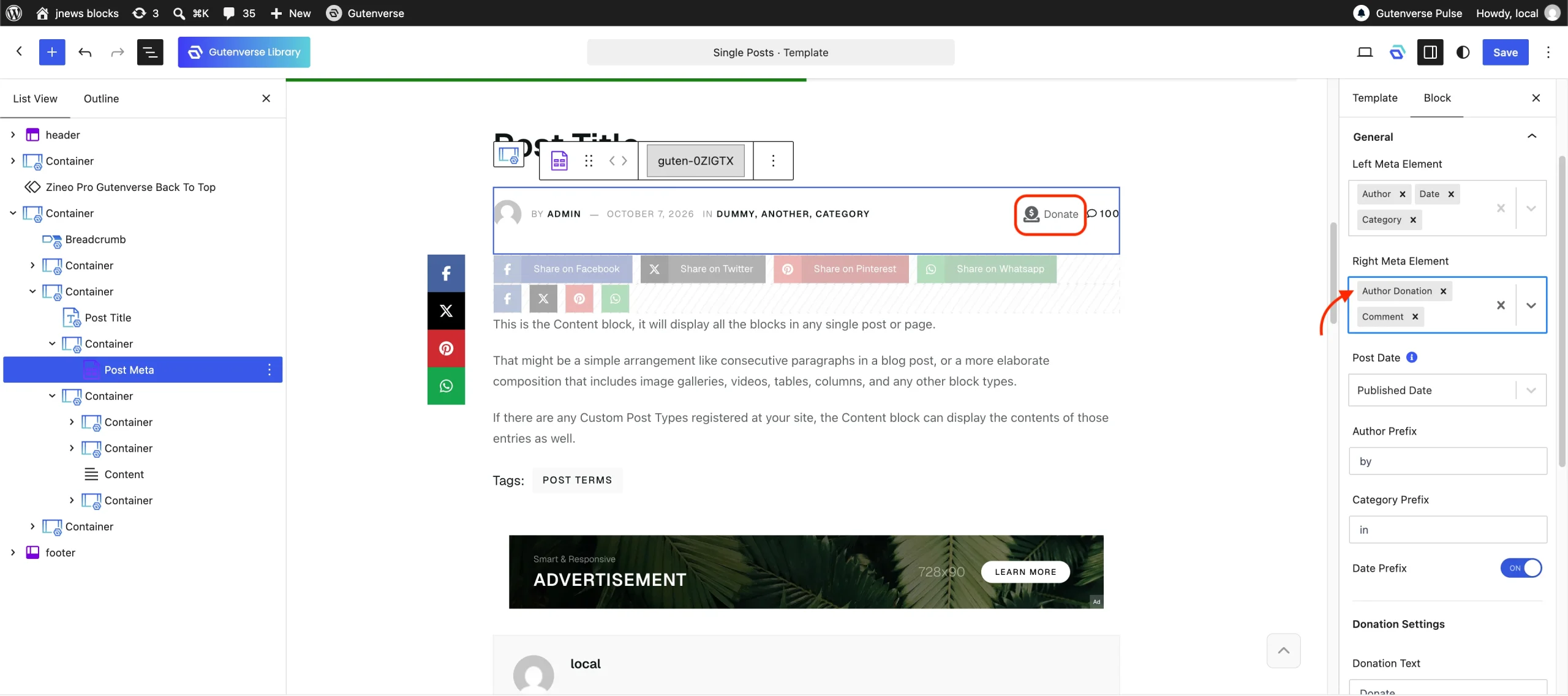
You can display the donation button inside the Post Meta Block by adding Author Donation to either the Left Element or Right Element area.
3. Post Author Box
You can display the donation button inside the Post Author Box by enabling the Show Donation toggle in the Post Author Box settings.