Before activating your JNews Twenty license, make sure you have purchased a JNews Twenty license through the following link.
Please note that each license can only be activated on one domain. For example, if you activate the license on yourdomain.com, you cannot use the same license on staging.yourdomain.com.
There’re a few things that we’ll explain to you on this section :
- Activating License via Wizard Directly
- Activating License via Wizard Using License Key
- Activating License via JNews Blocks Dashboard
Activating License via Wizard Directly
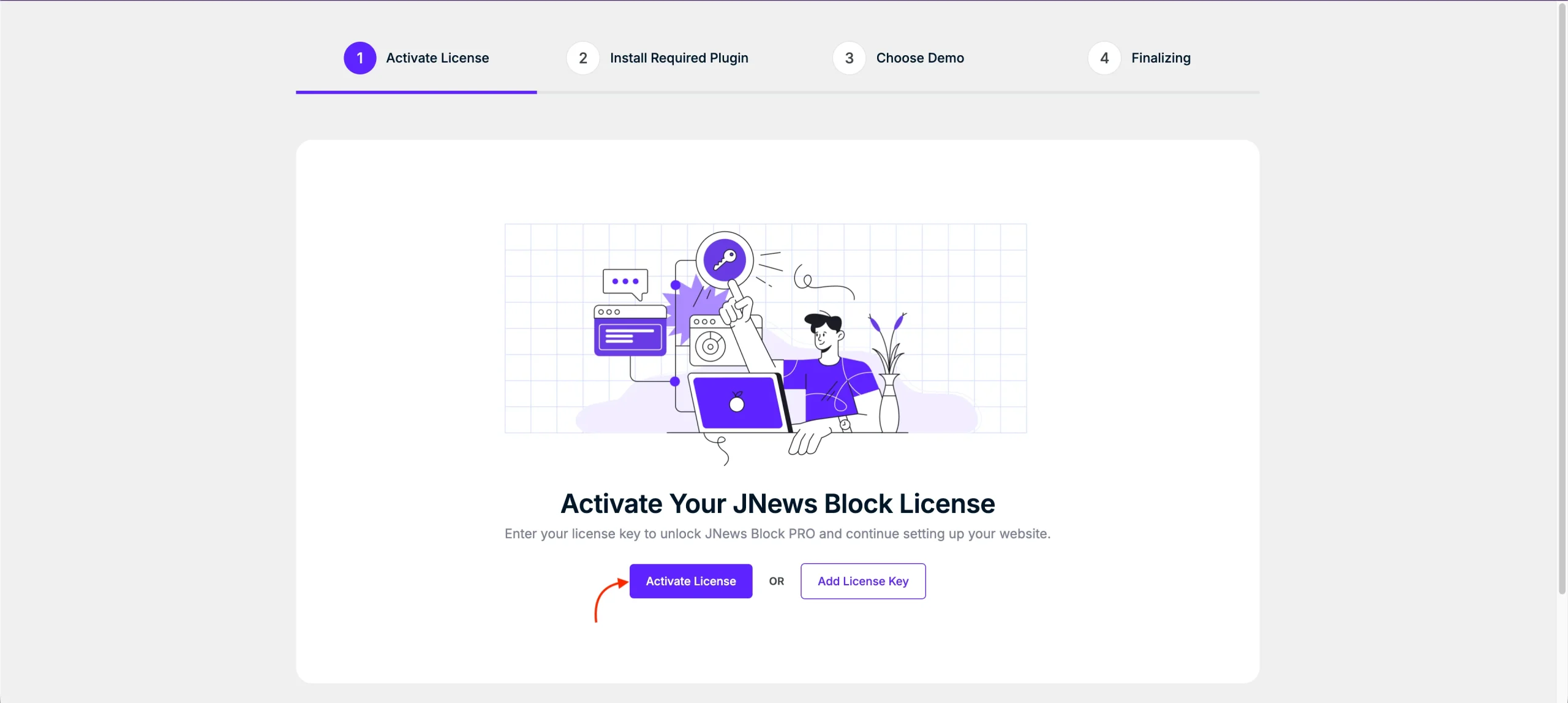
Right after you activate the JNews Blocks Theme, you will be guided to the Setup Wizard to configure your theme. The first step allows you to activate your license using one of two methods. The first method is activate license directly through pro.jnews.io, to do so please click Activate License.
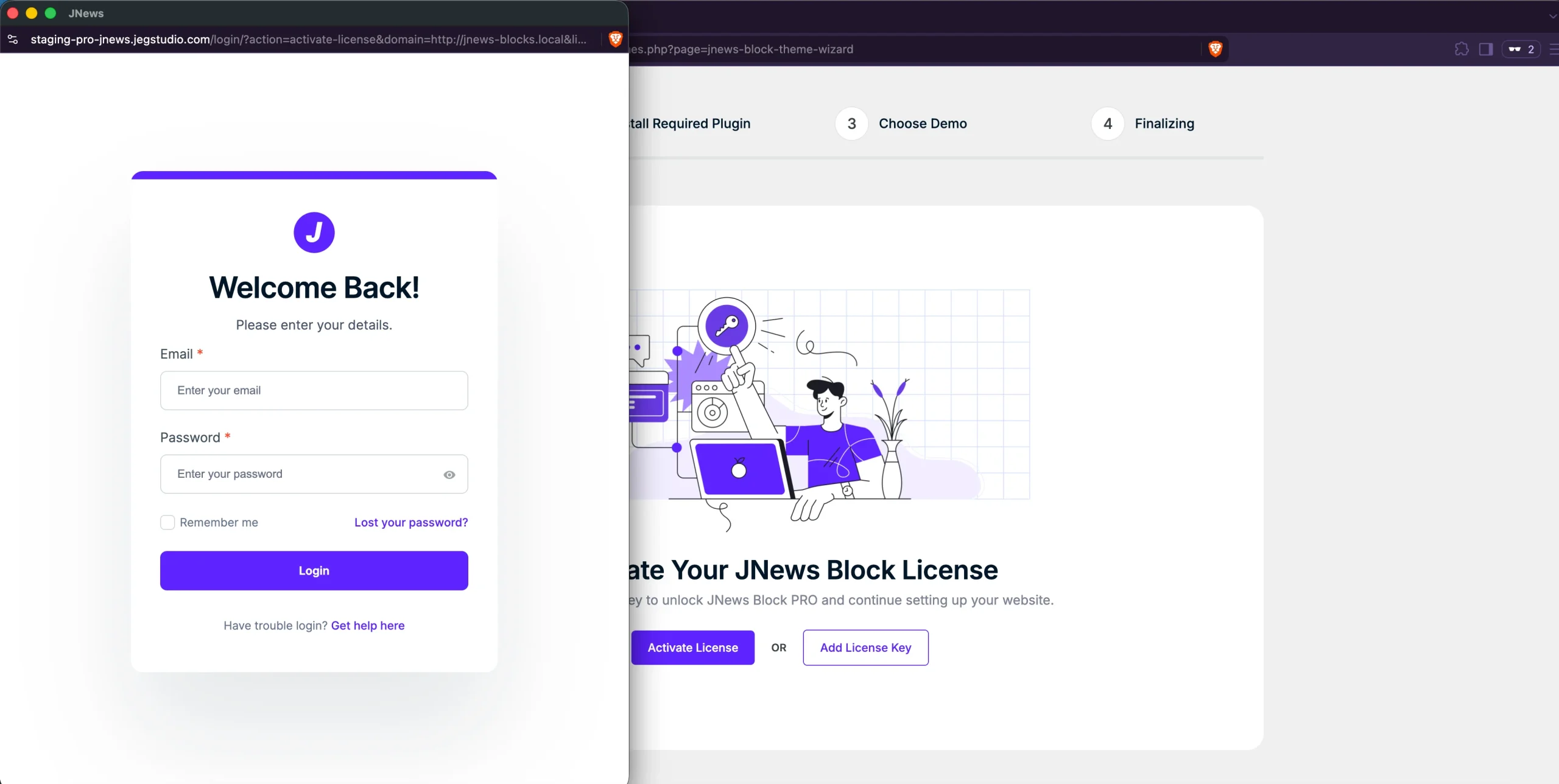
A popup window will open and redirect you to pro.jnews.io. If you are not logged in yet, log in to your JNews account first.
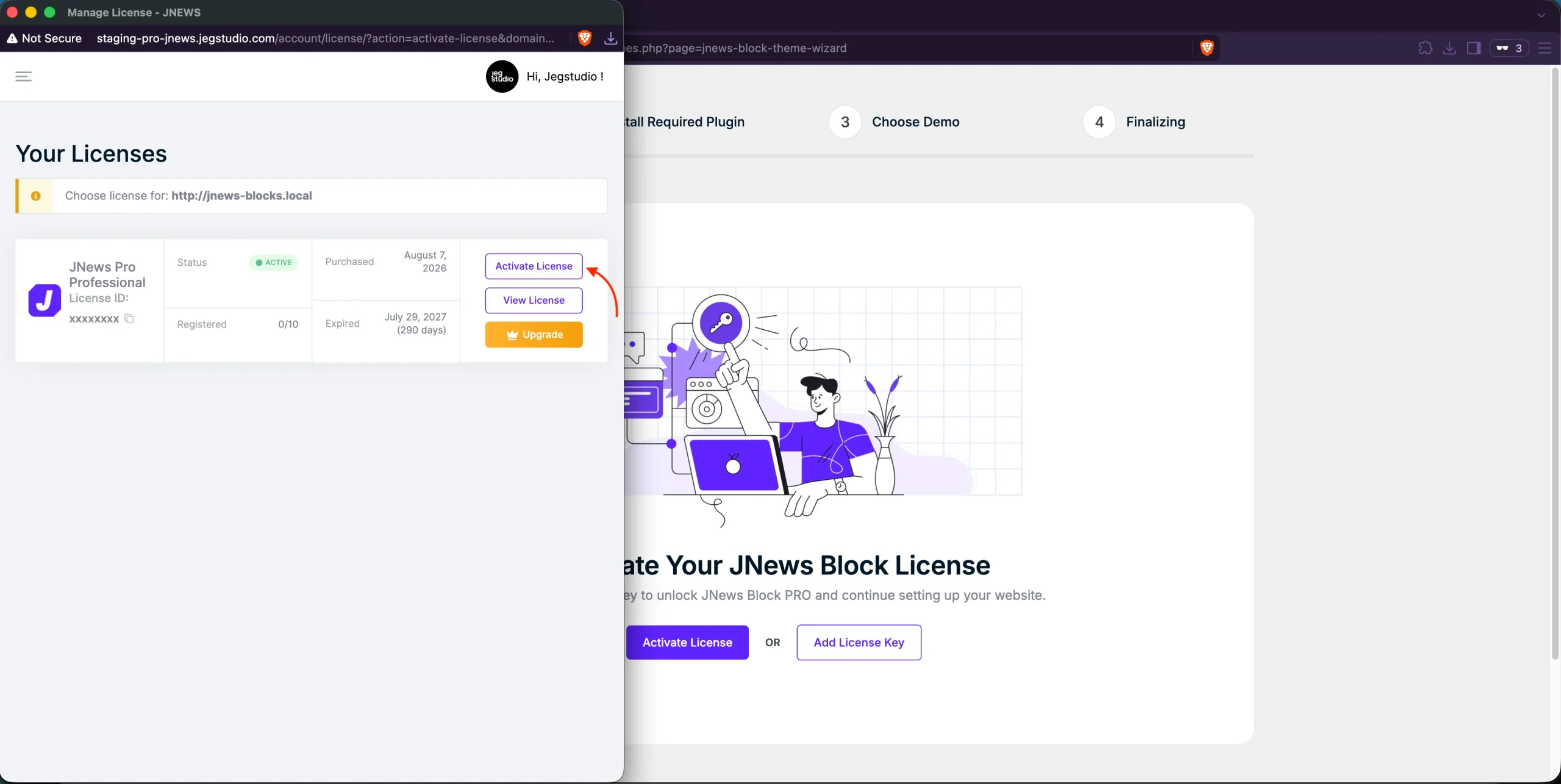
Once logged in, select the license you want to register and click Activate License. You will then be redirected back to the Setup Wizard, and your license will be activated successfully.
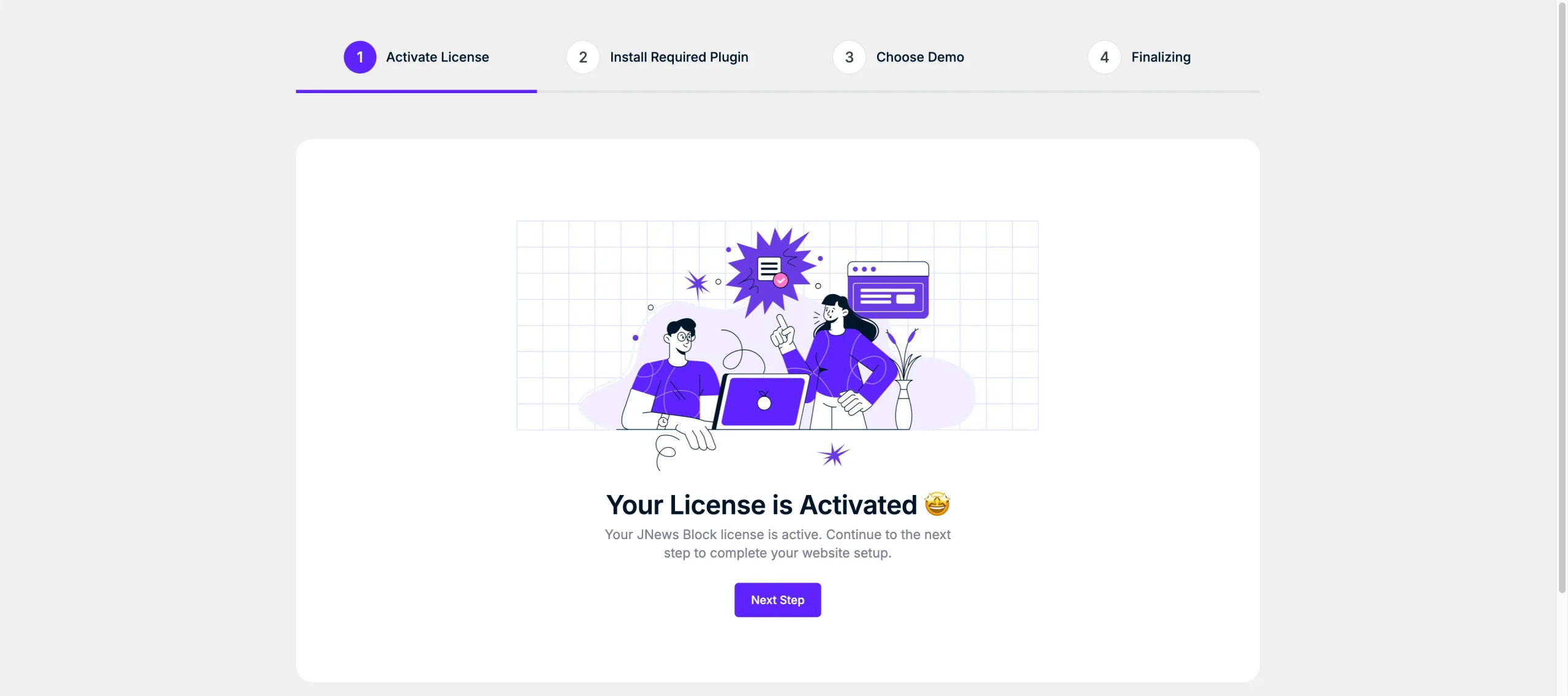
Activating License via Wizard Using License Key
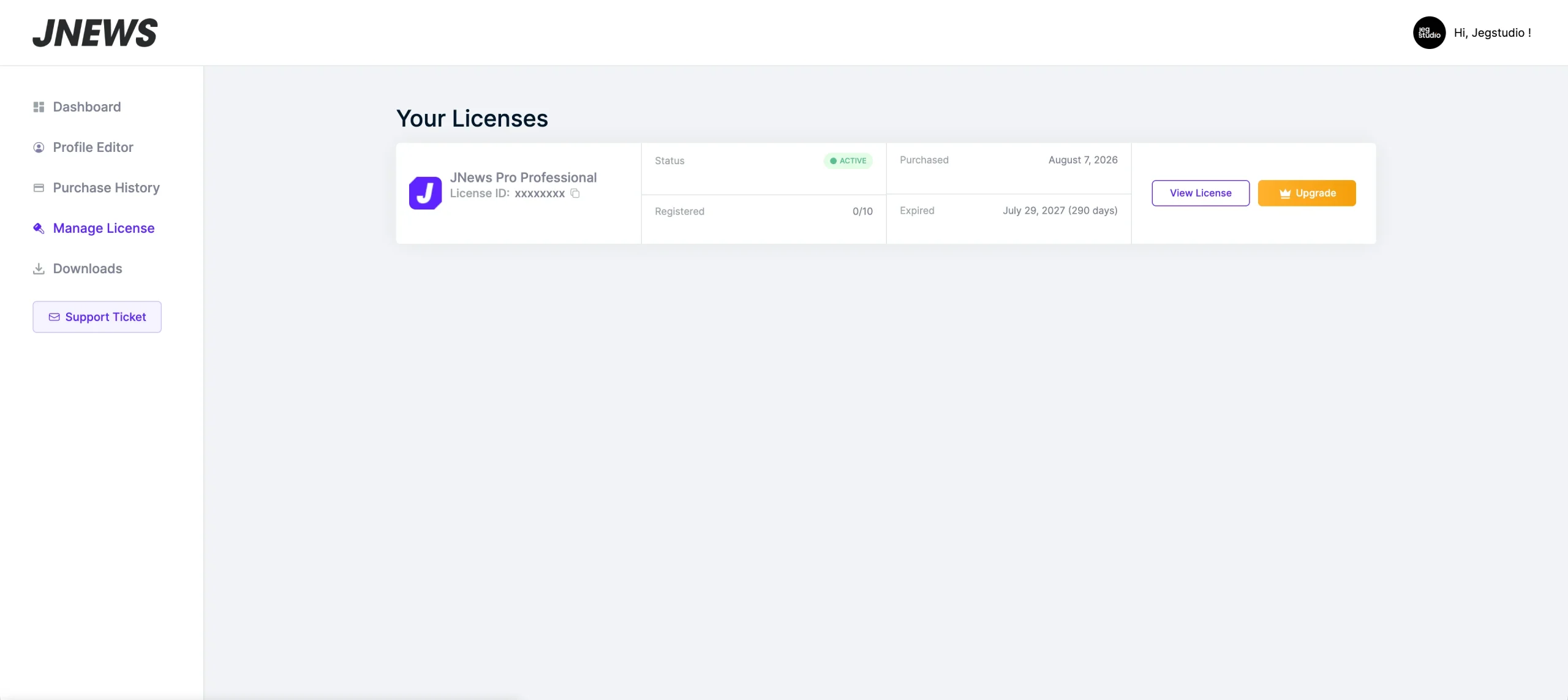
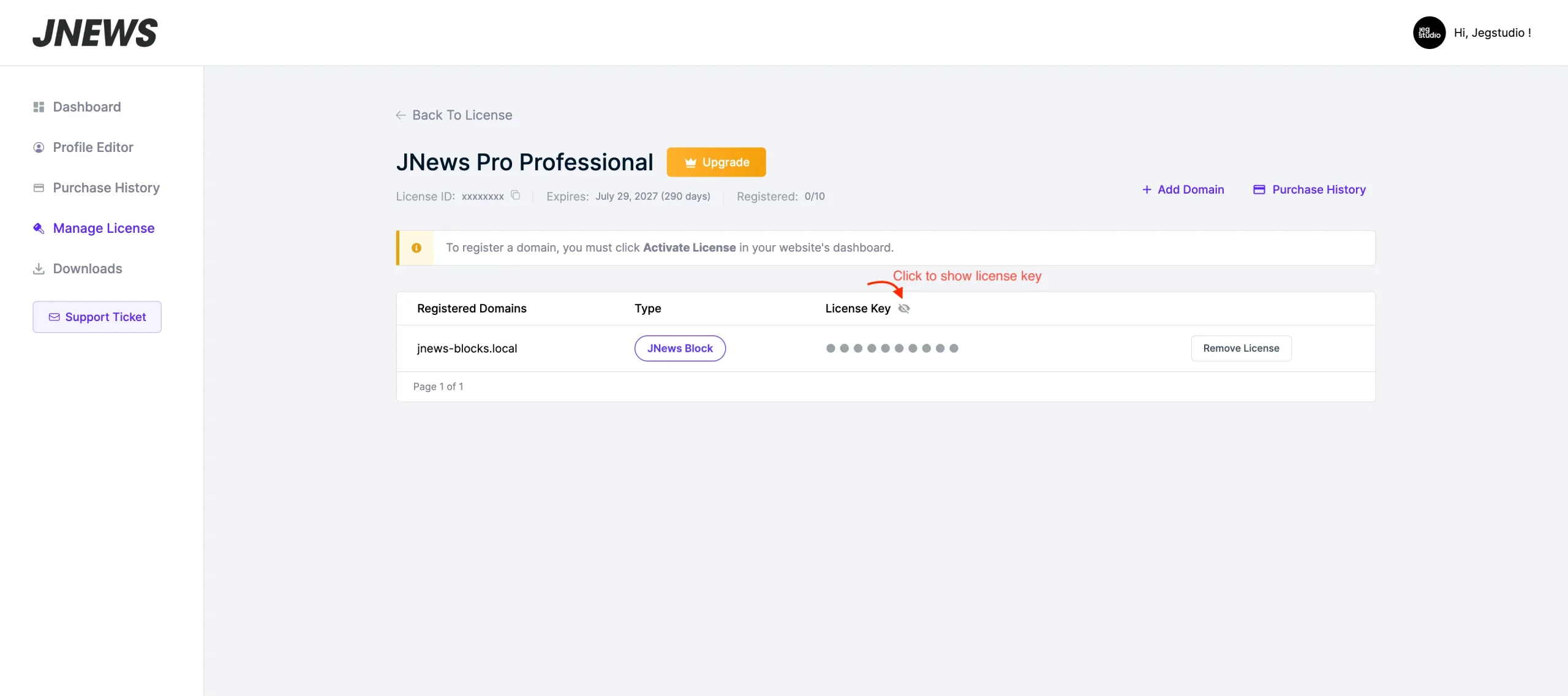
To activate your license manually, visit pro.jnews.io and log in to your account. Go to your Account page, navigate to Manage License, select the license you want to use, and click View License.
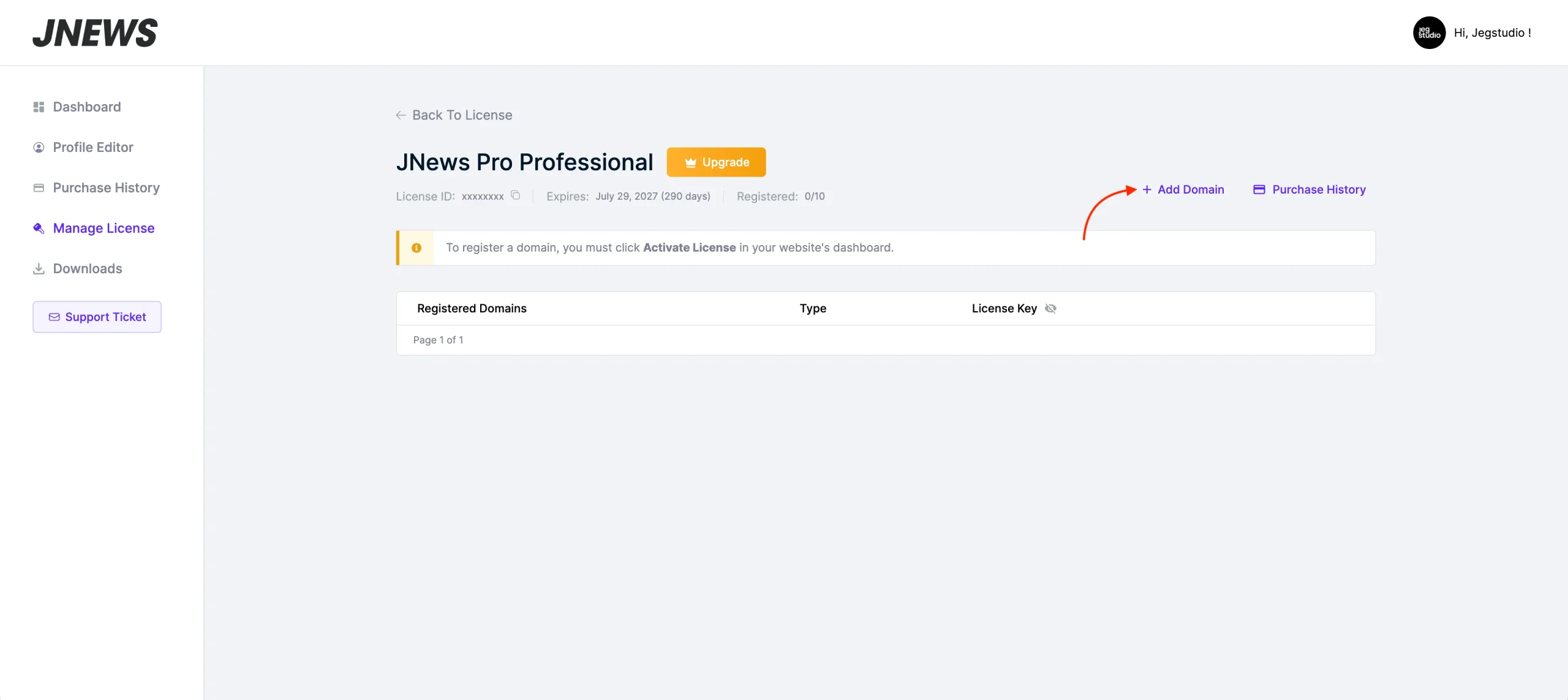
Next, click Add Domain. A popup will appear with the available license types, JNews Twenty and JNews Block. Select the license type JNews Block, enter your website domain in the form provided, and complete the process to generate your license.
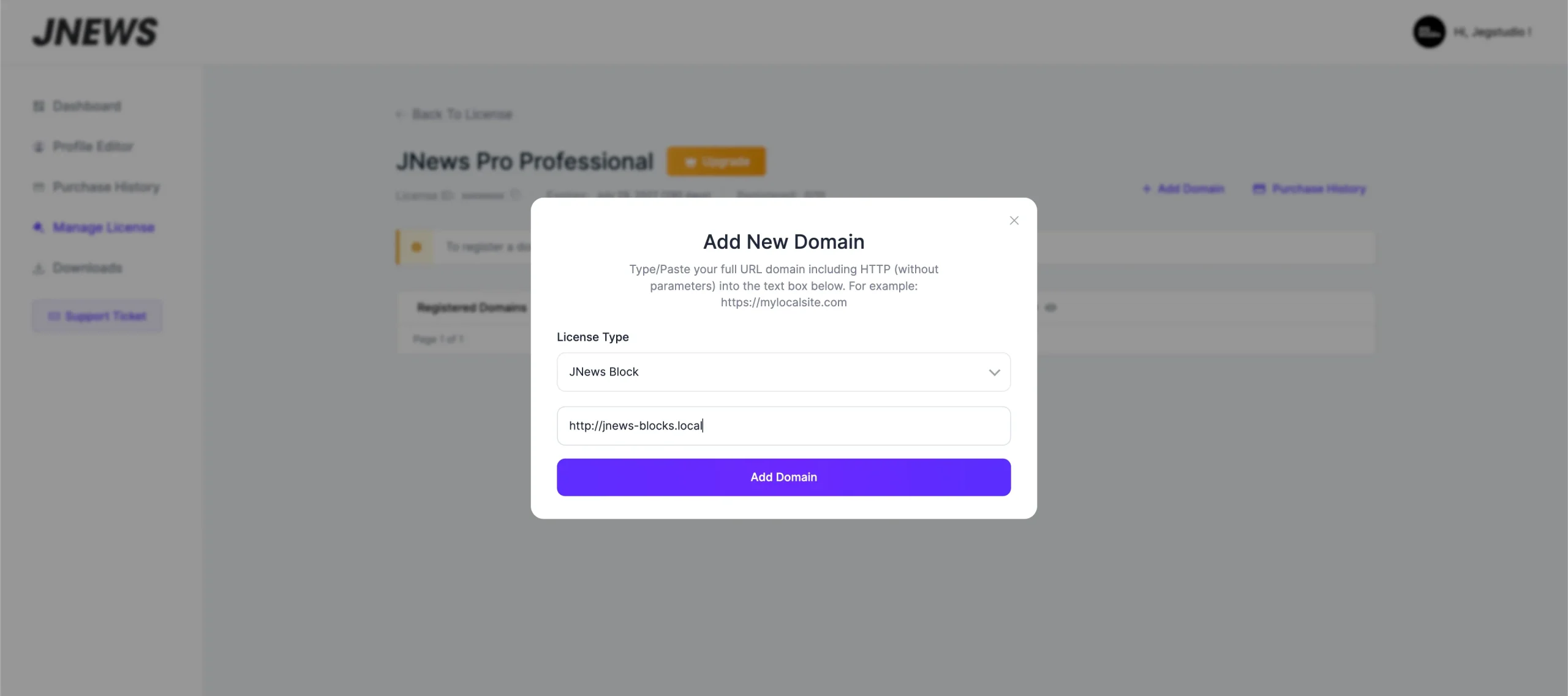
Once the license key has been generated, click the Eye button to show the license Key for the selected domain, then click the Copy to Clipboard button.
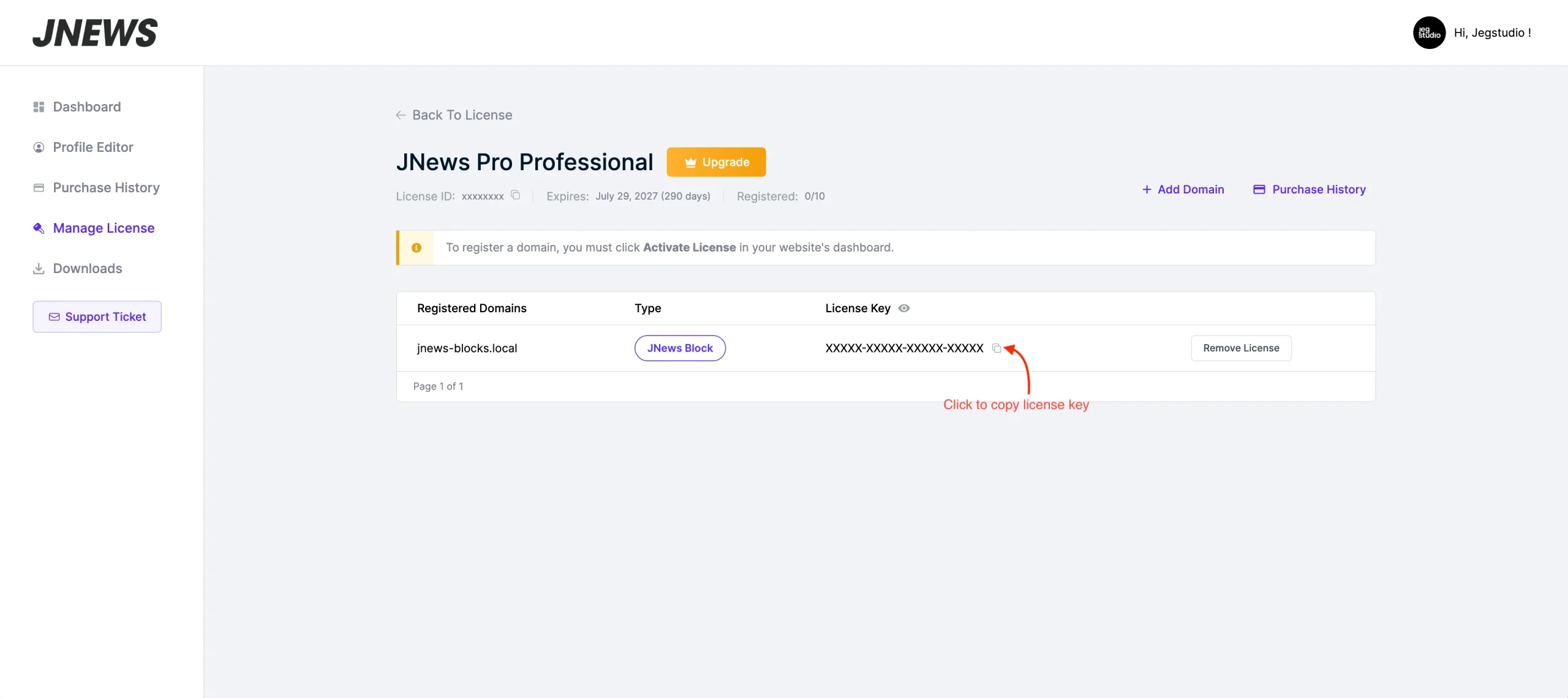
Return to the Setup Wizard. Click Add License Key, paste the copied key into the input field, and complete the activation process.
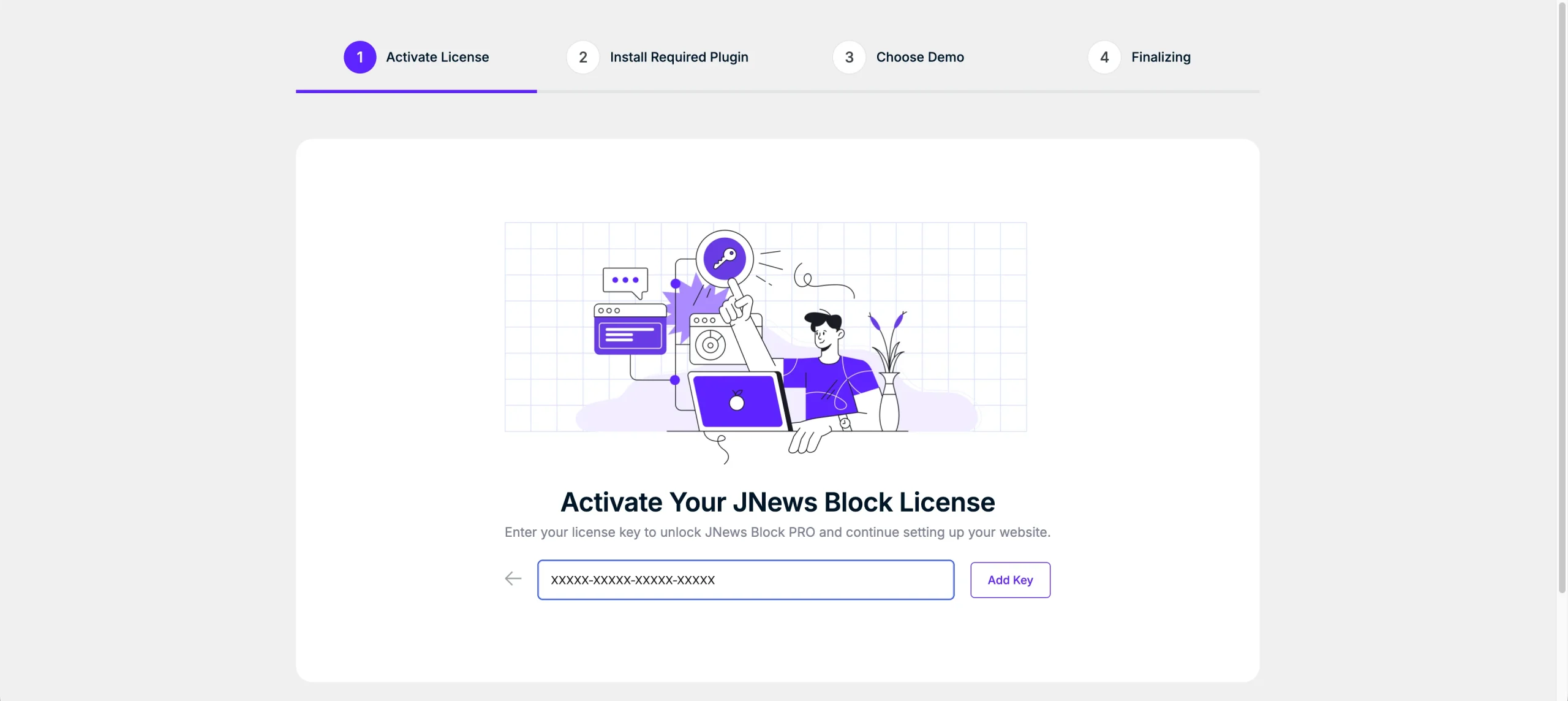
Activating License via JNews Blocks Dashboard
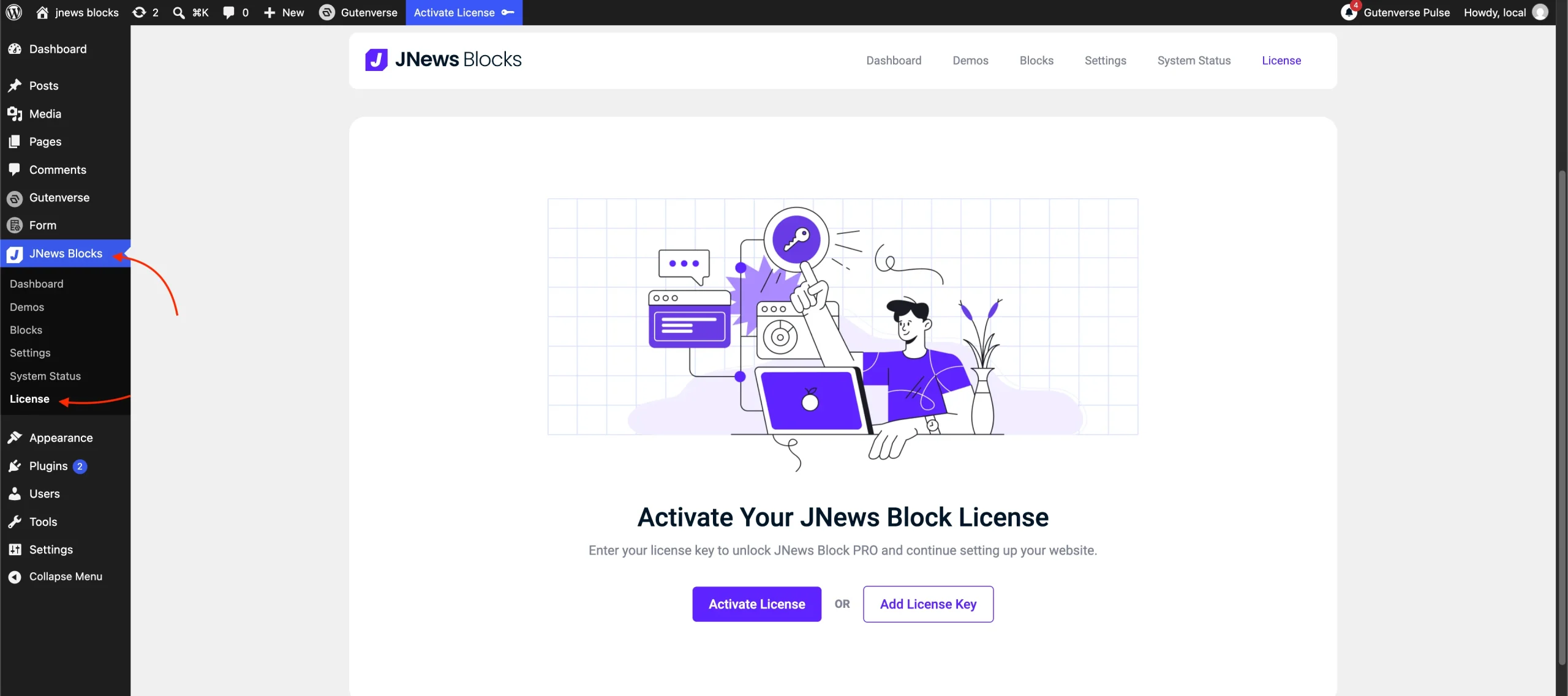
If you have already installed and activated the JNews Blocks and JNews Blocks Pro plugins, you can activate or reactivate your license directly from the WordPress dashboard. This is the place to reactivate license if you encounter an Invalid License Key or Expired License message. Simply navigate to JNews Blocks > License, where you will find the same two activation methods. Click Activate License to connect your JNews account and select the license you want to register, or click Add License Key to enter your license key manually.