
JNews Blocks Theme requires several plugins to be installed and activated to enable its features and functionality. These plugins provide additional blocks and components used throughout the theme. Make sure all required plugins are installed and activated before customizing your website to ensure everything works as expected.
There’re a few things that we’ll explain to you on this section :
1. Install via Wizard
When you first install and activate the JNews Blocks Theme, you will be guided to the Setup Wizard to configure your theme. The wizard will help you complete the initial setup by installing the required plugins and configuring the necessary settings to ensure the theme works properly.

After activating your license through the Setup Wizard, you will be guided to the plugin installation step, where you can install all the required plugins. Simply click Install and wait for the process to complete. The wizard will handle the installation of the required plugins, so you can proceed with the next steps once everything has been installed successfully.
2. Install from the WordPress Plugin Repository
If you do not have access to the Setup Wizard, you can still install the required plugins manually. Plugin like Gutenverse and Gutenverse Form are available on WordPress, so you can install them by navigating to Dashboard > Plugins > Add New Plugin.

This method can be used for plugins that are available on WordPress. However, not all required plugins are available on WordPress.
3. Pro Plugins
Some of our plugins, such as Gutenverse Pro, JNews Blocks, and JNews Blocks Pro, are only available on our platform. You can access and download these plugins from your dashboard. You can download the bundle containing all the required plugins and the JNews Blocks Theme, or download each plugin individually.
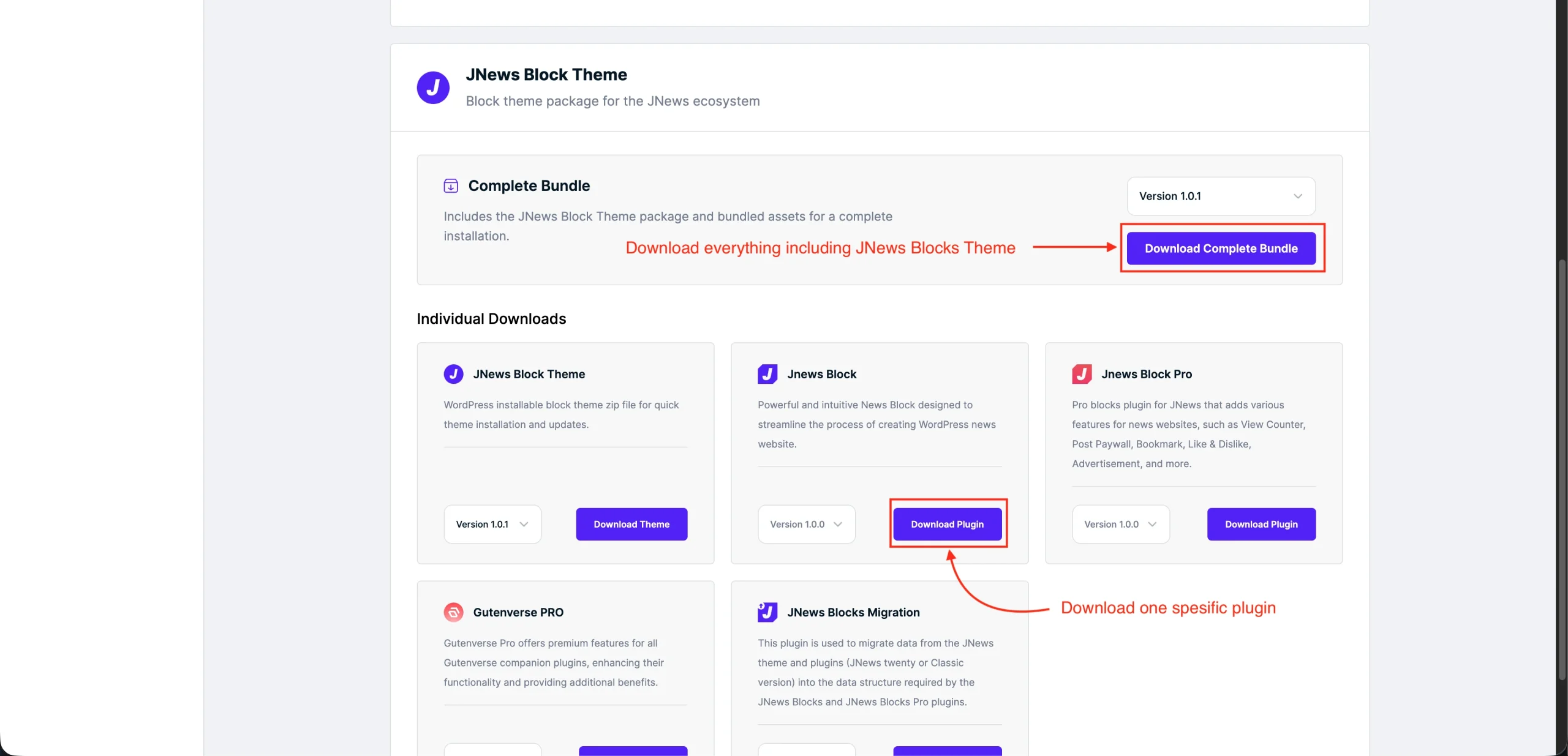

After downloading all the required plugins, you can install them through the Upload Plugin menu. If you downloaded the bundle, make sure to extract the ZIP file first before uploading and installing each plugin individually.